
Neptune Core is a Velocity server plugin which provides many utility features for your server.
## Features
* Staff Chat
* Admin Chat
* Global Messaging System
* MOTD System
* Utility Commands (/lobby etc.)
* Social Spy
* Command Spy
* Maintenance System
* Player Balancer
and many more coming soon…
NeoServerCommand
# NeoServerCommand
[English](#english) | [日本語](#日本語)
—
## English
### Description
NeoServerCommand is a powerful BungeeCord plugin that enhances the `/server` command with interactive features and adds a new `/send` command for managing player transfers between servers. The plugin displays servers in the order they appear in BungeeCord’s `config.yml` and provides a fully customizable permission system.
### Features
#### `/server` Command
– **Interactive Server List**: Displays available servers with hover text showing player count
– **Click-to-Connect**: Click on a server name to connect instantly
– **Tab Completion**: Smart tab completion based on permissions
– **Permission-Based Access**: Control server access with granular permissions
– **Customizable Messages**: All messages can be customized in `config.yml`
#### `/send` Command
– **Send Players**: Transfer players to other servers
– **Multiple Targets**: Support for `all`, `current`, or specific player names
– **Interactive Server List**: Hover and click functionality for server selection
– **Tab Completion**: Smart tab completion for both arguments
– **Permission-Based Access**: Control send permissions per server
### Installation
1. Download `NeoServerCommand-1.0.jar` from the releases page
2. Place it in your BungeeCord `plugins` folder
3. Restart your BungeeCord server
4. Configure permissions and messages in `plugins/NeoServerCommand/config.yml`
### Commands
#### `/server`
– **Usage**: `/server [server name]`
– **Description**: Display available servers or connect to a specific server
– **Permission**: `bungeecord.command.neoserver`
– **Examples**:
– `/server` – Show interactive server list
– `/server server01` – Connect to server01
#### `/send`
– **Usage**: `/send `
– **Description**: Send players to another server
– **Permission**: `bungeecord.command.neosend`
– **Examples**:
– `/send all server01` – Send all players to server01
– `/send current server02` – Send all players from current server to server02
– `/send PlayerName server03` – Send specific player to server03
### Permissions
#### Server Command Permissions
– `bungeecord.command.neoserver.*` – Access to all servers
– `bungeecord.command.neoserver.` – Access to specific server (e.g., `bungeecord.command.neoserver.server01`)
#### Send Command Permissions
– `bungeecord.command.neosend.*` – Send to all servers
– `bungeecord.command.neosend.` – Send to specific server (e.g., `bungeecord.command.neosend.server01`)
### Configuration
All messages can be customized in `plugins/NeoServerCommand/config.yml`. The plugin supports color codes using `&` symbol.
#### Example Configuration
“`yaml
messages:
# Server list messages
available-servers: “&6&l=== &b&lAvailable Servers &6&l===”
server-list-item: ” &8▸ &a%server%”
server-hover: “&e%server%n&7%players% players onlinen&aClick to connect”
# Error messages
invalid-server: “&c&l✗ &cServer &e%server% &cdoes not exist.”
no-permission: “&c&l✗ &cYou don’t have permission to connect to &e%server%.”
# Connection messages
connecting: “&a&l✓ &aConnecting to &e%server%…”
// Async consumer (String) – more convenient!
api.subscribeStringSubject(“game.chat”, chatMessage -> {
// Directly receive as String – no need for manual conversion
broadcastToAllServers(chatMessage);
}, true);
“`
### Publish a message
Firstly you need to know when the connection is established.
There are 3 events for Velocity, Bungeecord and Spigot.
– VelocityNatsBridgeConnectedEvent
– BungeeNatsBridgeConnectedEvent
– SpigotNatsBridgeConnectedEvent
Something like
“`java
@EventHandler
public void onNatsBridgeConnected(SpigotNatsBridgeConnectedEvent event) {
//Do something here
}
“`
You just need to listen these events and the event is fire when the connection to NATS is up.
“`java
BungeeCordNatsPlugin.getNatsAPI().publishString(“subject”, “Awesome message”);
BungeeCordNatsPlugin.getNatsAPI().publishRaw(“subject”, [something that is byte[]]);
“`
## 📂 Configuration (`nats-config.yml`)
“`yaml
nats:
# List of NATS servers (can be a single server or a cluster)
servers:
– “nats://127.0.0.1:4222”
– “nats://nats-cluster.local:4222”
# Reconnection configuration
reconnect:
# Maximum number of reconnection attempts (-1 = unlimited)
max_reconnects: -1
# Delay between reconnection attempts (in milliseconds)
reconnect_wait: 2000
# Connection timeout (in milliseconds)
connection_timeout: 5000
“`
## 🔧 Commands
* `/nats help` – Show help menu
* `/nats status` – Check NATS connection status
* `/nats test ` – Send a test message
* `/nats reload` – Reload NATS configuration (planned)
Permission required: `natsbridge.admin`
## 🧩 Gradle
“`gradle
repositories {
maven {
name = “natsbridge-repo”
url = uri(“https://repo.nhsoul.fr/releases”)
}
}
dependencies {
//Use the latest version
//Select your platform
compileOnly(“fr.nhsoul.natsbridge:spigot:1.0.0”)
compileOnly(“fr.nhsoul.natsbridge:velocity:1.0.0”)
compileOnly(“fr.nhsoul.natsbridge:bungeecord:1.0.0”)
}
“`
## 🧩 Performance Considerations
The Consumer API approach offers several advantages:
1. **No reflection overhead**: Native performance for message handling.
2. **Type safety**: Use of standard Java interfaces.
3. **Explicit control**: You control exactly when and how messages are processed.
4. **Platform integration**: Easy access to platform-specific APIs (Spigot, Velocity, BungeeCord).
## ✅ Requirements
* Java 21+
* A NATS server
* Minecraft 1.20+ server (Spigot, Velocity, or BungeeCord)
## 🤝 Contributing
1. Fork this repo
2. Create a branch
3. Submit a PR – all contributions welcome!
Name Tag
A lightweight and highly customizable nickname plugin!
Supports 1.21.4-26.1.2
bStats:
What is Name Tag?
Name Tag is a nick plugin for Paper servers. It lets players fully disguise as another identity — changing their display name, skin, and optionally their UUID — with persistence across restarts, proxy network support, TAB integration, and automatic rewriting of death, advancement, and join messages.
Features
Feature
Description
Nick as Player
Fully disguise as another player’s name and skin with /nick <player> as <name>
Name-Only Nicking
Change just the display name with /nick <player> with_name <name>
Skin-Only Changes
Apply another player’s skin with /nick <player> with_skin <name>
Mineskin Support
Apply skins from Mineskin URLs or IDs with /nick <player> from_url <url>
Random Nicking
Generate a realistic random username via Lodestone’s cloud service, with legacy fallback
Persistent Storage
Local YAML, MongoDB, MySQL, or MariaDB — nicks survive restarts and re-apply on join
Proxy-Ready
Point all backends at a shared database and nick state follows players across BungeeCord, Velocity, or Waterfall
TAB Integration
Automatically updates the TAB plugin’s tab list when a nick is applied or reset
Message Rewriting
Death, advancement, join/quit messages, and commands all use the nicked name
UUID Spoofing
Optionally spoof the player’s UUID to match the nicked identity (experimental)
Working on a Scripted SMP? Do you want to nick new players with a random username?
You should try out Auto Nickname!
Name Tag includes an extensive API that allows developers to integrate Name Tag’s systems directly into their plugins.
Read our Documentation for usage details and examples.
Most of Lodestone’s plugins—including Name Tag—are completely free to use!
Please consider supporting development through Ko-fi or Paypal. It directly helps fund future projects.
A plugin for blocking nicknames and adding additional checks for privileged accounts.
– Supports Paper and BungeeCord
– Convenient declarative configuration
– Checks by IP, subnet, or virtual host
– Nickname blocking by exact match or regex pattern
– Reload with a single command: `/nameguard reload`
## Whitelist
All access rules are described declaratively in the `access-groups.yml` file.
“`yaml
# Group name. Can be anything and will be shown in logs if logging is enabled
group:
# If disabled, the group will be ignored
enabled: false
# Enable logging for failed join attempts
log-to-console: true
match:
# If enabled, any player will be checked against this group
everything: false
# If the nickname is in this list, the player will be checked against this group
nicknames:
– owner
– helper
# If the nickname matches at least one regex pattern from the list,
# the player will be checked against this group
patterns:
– “b[a4]d_?w[o0]rd”
“`
If a player is checked by a group and does not pass any access rule,
the join attempt is denied with the `kick-message`, and a corresponding
message is logged to the console if `log-to-console` is enabled.
If a player is checked by a group and passes at least one access rule,
the player is allowed to join, and all further checks are skipped.
The order in which groups are checked is determined by their order in the file.
MyHomesX
🏠 MyHomesX – Advanced Homes System for Minecraft
MyHomesX is an advanced, modern, and highly configurable homes management plugin for Spigot / Paper servers, designed to provide a smooth, secure, and professional experience for players, staff, and Minecraft networks.
Compatible with EssentialsX, WorldGuard, MiniMessage, BungeeCord, and Velocity, MyHomesX is not just a homes plugin — it is a complete teleportation and protection solution.
✨ Main Features
🏡 Advanced Homes System
Multiple homes per player
Permission-based home limits
Safe and optimized teleportation
🎨 Customizable Prefixes
Full MiniMessage support
Gradients, HEX colors, and bold formatting
Fully editable prefix via config.yml
🖥️ Modern GUI
Teleport confirmation menus
Action locking
Clean, fast, and intuitive interfaces
🛡️ Smart Protection
Native WorldGuard integration
Region-based home blocking
Staff can manage protections owned by other players
🔁 Teleport Requests (TPA)
Player-to-player teleport requests
Visual confirmation
Fully configurable system
🌍 Multi-language Support
Available languages:
Spanish 🇪🇸
English 🇺🇸
Portuguese 🇧🇷
Japanese 🇯🇵
Thai 🇹🇭
🌐 Network Support
Compatible with BungeeCord and Velocity
Secure communication using a secret key system
Ideal for multi-lobby and large networks
📜 Logging System
All important actions are stored in registro.yml
Full audit system for staff
⚙️ Highly Configurable
More than 30 commands
Customizable messages, permissions, and limits
Clean and organized configuration files
🖋️ Unique Visual Style
Inspired by the Capitalized Font
Clean and modern design
🚀 On Server Startup
Large, colored startup message
Visible credits:
AUTHOR: DOLPHNXM
If an error occurs:
ERROR
Displayed clearly with a readable explanation.
🔌 Compatibility
✅ Spigot / Paper
✅ EssentialsX
✅ WorldGuard
✅ MiniMessage
✅ BungeeCord
✅ Velocity
📌 Ideal For
Survival servers
Roleplay servers
Premium servers
Professional Minecraft networks
Communities seeking quality and control
💙 MyHomesX is not just another homes plugin
It is power, design, and control — all in one.
🔐 Permissions
👤 Player Permissions
myhomesx.use
myhomesx.home
myhomesx.sethome
myhomesx.delhome
myhomesx.homes
myhomesx.home.rename
myhomesx.home.move
myhomesx.tpa
myhomesx.tpaccept
myhomesx.tpdeny
myhomesx.tpacancel
myhomesx.back
⭐ Home Limits
myhomesx.limit.1
myhomesx.limit.3
myhomesx.limit.5
myhomesx.limit.10
myhomesx.limit.unlimited
🛡️ Staff Permissions
myhomesx.admin
myhomesx.admin.reload
myhomesx.admin.bypass.delay
myhomesx.admin.bypass.region
myhomesx.admin.home.others
myhomesx.admin.tpa.force
myhomesx.admin.log
⌨️ Commands
🏠 Homes
/home
/homes
/sethome
/delhome
/renamehome
/movehome
🔁 Teleport Requests
/tpa
/tpaccept
/tpdeny
/tpacancel
/tpatoggle
🔙 Utilities
/back
/myhomesx help
/myhomesx info
🛠️ Administration
/myhomesx reload
/myhomesx sethome
/myhomesx delhome
/myhomesx homes
/myhomesx logs
❓ FAQ
Is it compatible with EssentialsX?
✅ Yes, MyHomesX works alongside EssentialsX without conflicts.
Does it work on networks (BungeeCord / Velocity)?
✅ Yes, it includes native support with secure communication.
Does it use MiniMessage?
✅ Yes, all messages and prefixes support MiniMessage, including gradients and HEX colors.
Can homes be blocked by region?
✅ Yes, via WorldGuard integration.
Can staff manage other players’ homes?
✅ Yes, with the appropriate permissions.
Where are logs stored?
📄 All logs are stored in registro.yml.
Can the language be changed?
🌍 Yes, full multi-language support is included.
Is it performance-friendly?
🚀 Yes, MyHomesX is optimized for large servers and networks.
Is the prefix editable?
🎨 Yes, fully configurable via config.yml.
MultiChat
# MultiChat
**Transform your BungeeCord network into a unified communication hub!**
MultiChat is a professional, feature-rich cross-server chat plugin that seamlessly connects all servers in your network. Players can communicate across servers, see everyone in the tab list, and enjoy a truly unified multiplayer experience—all without requiring any backend plugins!
—
## 🌟 Key Features
### 💬 **Cross-Server Chat**
Chat messages broadcast across your entire network. Players on Survival can talk to players on Creative, Skyblock, or any other server—seamlessly!
### 👥 **Global Tab List**
All players from all servers appear in everyone’s tab list. Fully customizable with server prefixes, headers, and footers. **This feature alone eliminates the need for TAB or similar plugins on backend servers!**
### 🔇 **Smart Join/Leave Messages**
Completely customizable join and quit messages that only show when players enter or exit the entire network—not every time they switch servers. Say goodbye to chat spam!
### 📋 **Server List Command** (`/s list`)
Players can view all servers with real-time player counts and names. Configurable to show or hide player names.
### 💌 **Cross-Server Private Messaging**
Built-in `/msg` and `/r` (reply) commands work across all servers. Find and message anyone on your network instantly!
### 🎨 **Highly Customizable**
Every message format, color, and feature can be customized through an intuitive config.yml. Supports full Minecraft color codes and formatting.
### 🔐 **Flexible Permission System**
Configure each feature with three permission modes:
– `”everyone”` – No permission required (default)
– `”op”` – Operators only
– `”custom.permission”` – Specific permission nodes (works with LuckPerms, etc.)
### 🚫 **Command Control**
Optionally block commands from reaching backend servers while keeping chat and messaging functional.
### 🎭 **Normal Chat Mode**
Hide server prefixes to make your network feel like one unified server. Players won’t even know they’re switching between backend servers!
—
## 📖 Quick Start
1. **Download** MultiChat-1.0.0.jar
2. **Drop** into your BungeeCord `plugins` folder
3. **Restart** your proxy
4. **Done!** The plugin works out-of-the-box with sensible defaults
**No backend plugins required. No complicated setup. Just drop it in and go!**
# Tab list
tablist-format: “&7[&b{server}&7] &f{player}”
tablist-header: “&b&lYour Network Namen&7Players: &f{total}”
tablist-footer: “&7You’re on: &b{server}”
“`
### VIP Cross-Server Chat
“`yaml
permission-chat: “vip.chat”
permission-msg: “vip.message”
“`
Then in LuckPerms: `/lp group vip permission set vip.chat true`
This plugin was **entirely coded by Claude (Anthropic’s AI)** in collaboration with a human developer. Here’s what that means:
✅ **Thoroughly Documented** – Every method, class, and configuration option is clearly documented
✅ **Best Practices** – Follows Java and BungeeCord development standards
✅ **Clean Code** – Readable, maintainable, and well-organized structure
✅ **Production-Ready** – Designed for public use with security and performance in mind
✅ **No Hardcoded Values** – Everything is configurable
The AI approach means the code is consistent, well-commented, and follows professional standards throughout. All features have been designed with real-world server networks in mind.
✓ Cross-server chat broadcasting
✓ Global tab list (all players visible)
✓ Smart join/leave messages (network-level only)
✓ Server list command with player info
✓ Cross-server private messaging (`/msg`, `/r`)
✓ Configurable permissions system
✓ Command passthrough control
✓ Full color code support
✓ Comprehensive configuration file
✓ Professional documentation
—
## 💡 Use Cases
– **Multi-gamemode networks** (Survival, Creative, Skyblock, etc.)
– **Staff communication** across servers
– **Community building** across your network
– **Unified player experience**
– **VIP/Premium** cross-server chat features
– **Clean, professional** network presentation
**Made with ❤️ for the Minecraft community**
*AI-Powered • Open Source • Production-Ready*
MOTDRandomiser
# MOTDRandomiser
MOTDRandomiser is a plugin that makes it so the MOTD of your Bukkit/Spigot/Paper/BungeeCord/Velocity server is randomised every time a user presses “Refresh” in the server list. (Plus, you don’t have to restart your server to update the MOTD list!)
You can update the list of MOTDs in `plugins/MOTDRandomiser/config.yml` or `plugins/motdrandomiser/config.yml` depending on the server software. Once you’ve done that you can reload the file using `/motdrandomiser reload`.
MoreInventory
# EN
This plugin allows you to view other players’ inventory in a more comprehensive and convenient way. The /invmore command is added, which already displays the player’s inventory
# RU
данный плагин позволяет вам более расширенно и удобней рассматривать инвентарь других игроков. Добавляется команда /invmore, которая уже отображает инвентарь игрока
MapModCompanion
# Companion for map mods
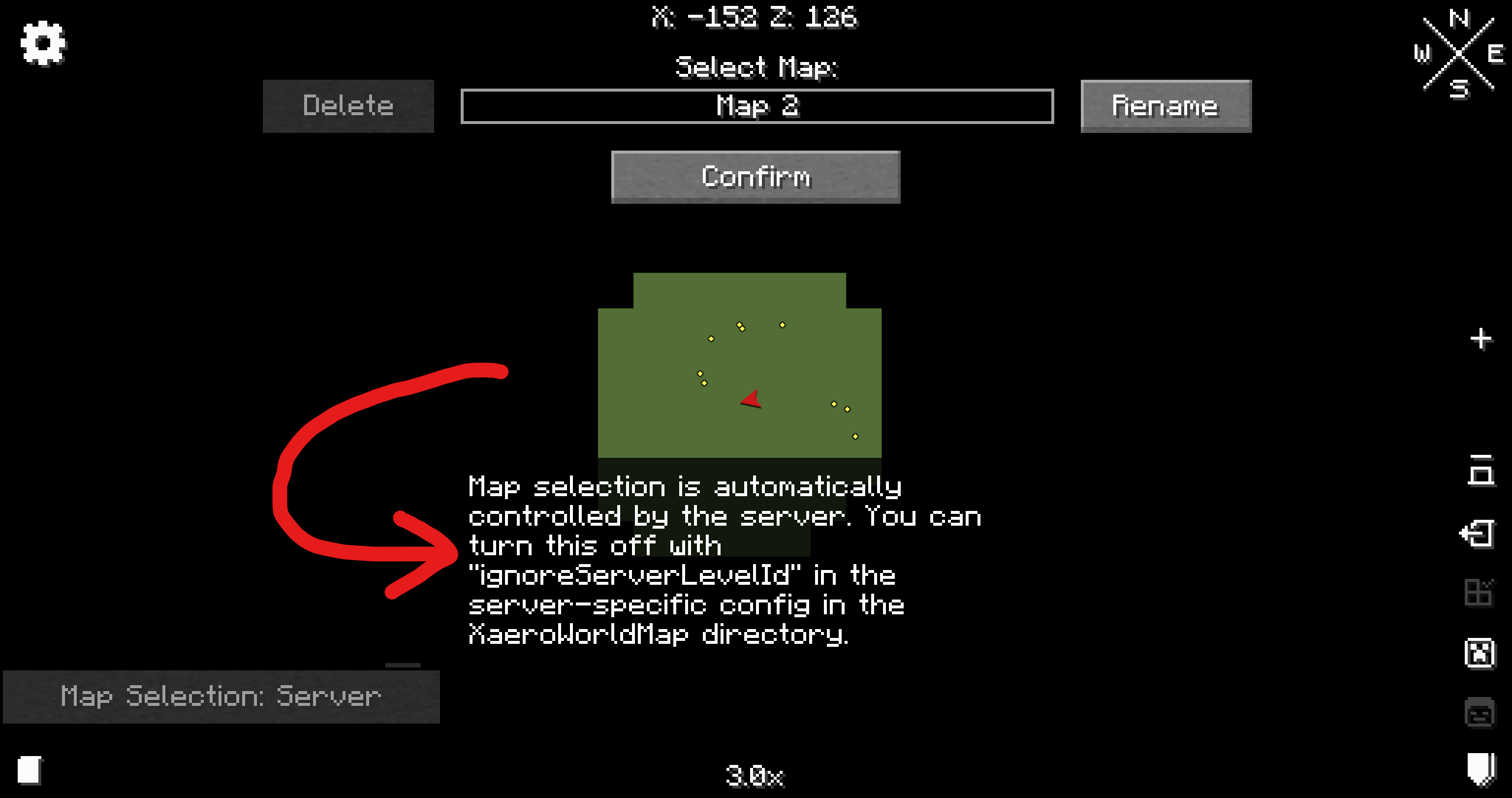
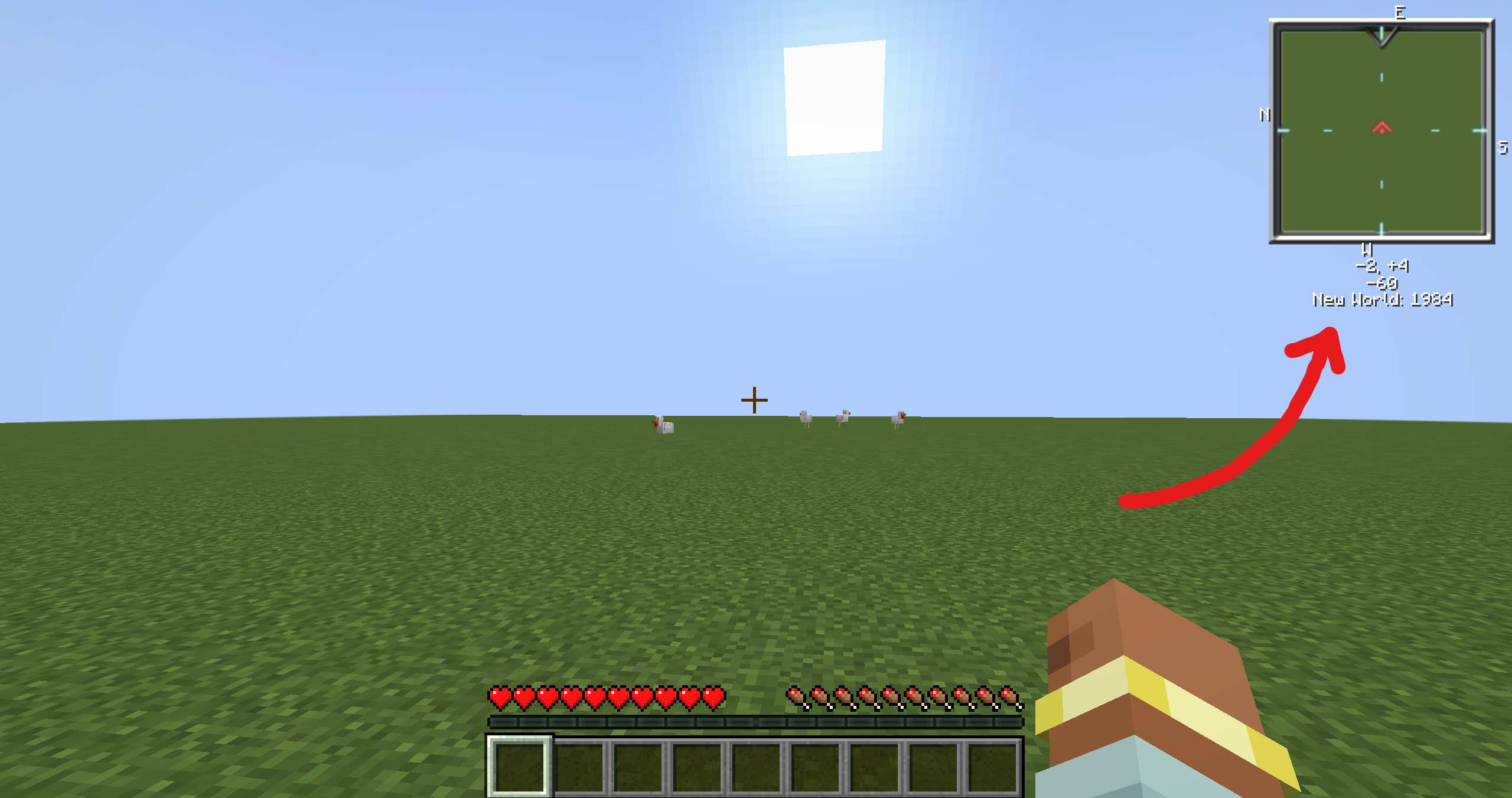
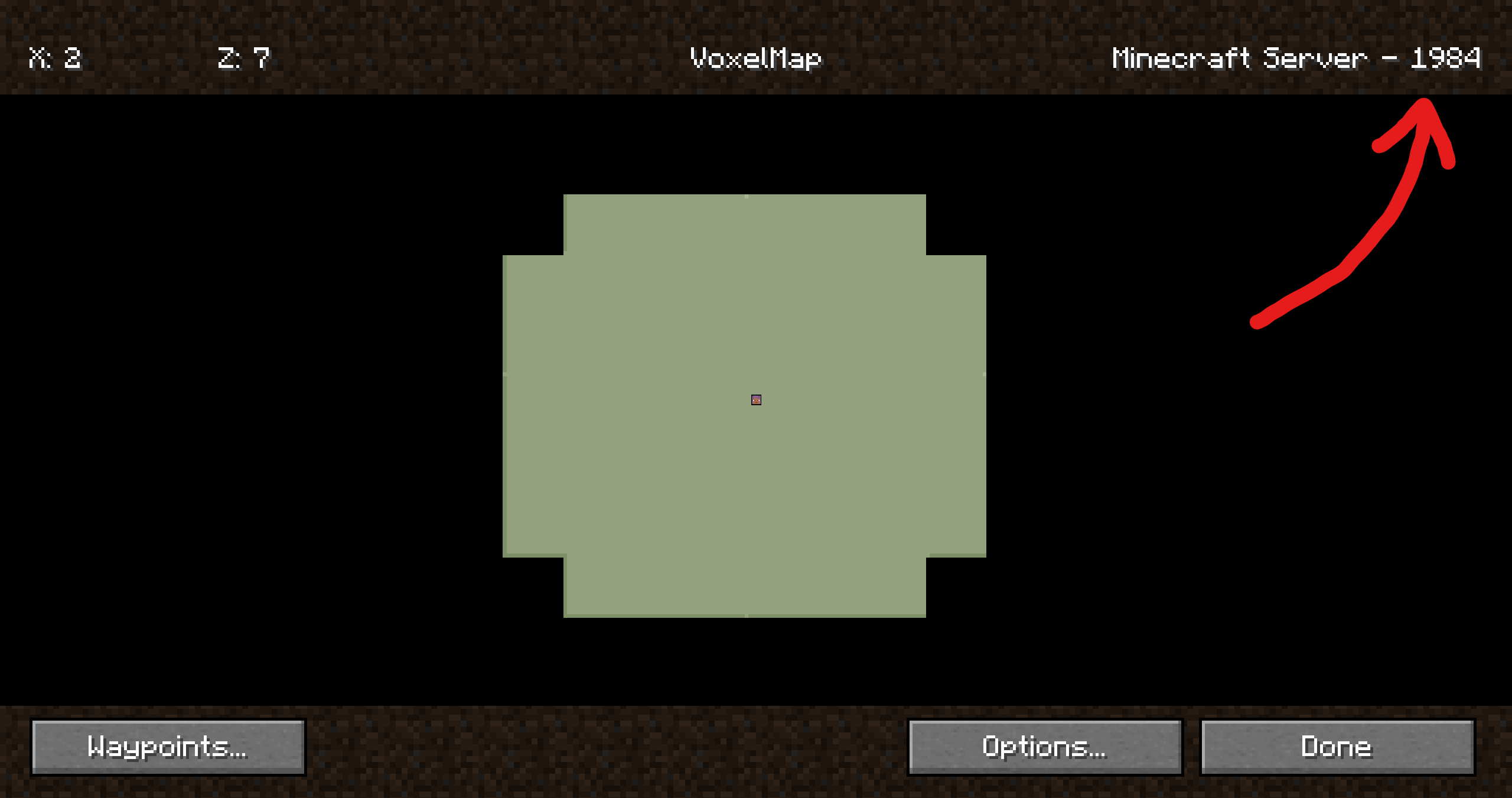
**With this plugin your minimap will never be confused which world you’re in. [A more in-depth explanation can be found in the wiki](https://github.com/turikhay/MapModCompanion/wiki/How-it-works).**
How it should look like
| Mod | Screenshot |
| —-|————|
| Xaero’s World Map | |
| VoxelMap | |
| Xaero’s Minimap | See Xaero’s WorldMap |
| JourneyMap | It just works 😄 |
Companion plugin for
[Xaero’s Minimap]
(and their [World Map][Xaero’s World Map]),
[JourneyMap] and
VoxelMap (both [old][VoxelMap (old)] and [updated][VoxelMap-Updated]).
Provides a way for these mods to identify worlds on BungeeCord/Velocity servers.
It’s recommended to install this plugin on a fresh server, otherwise **existing map data**
(waypoints, map cache, etc.) **may no longer be visible to some players**. Fortunately,
[there are ways to restore it](https://github.com/turikhay/MapModCompanion/wiki/Restore-map-data).
It’s worth mentioning that the plugin doesn’t affect in-game progress.
This plugin was inspired by @kosma’s [worldnamepacket],
which supported Velocity, Fabric and Spigot at the time of writing.
If you have any questions, please [join my Discord][Discord].
[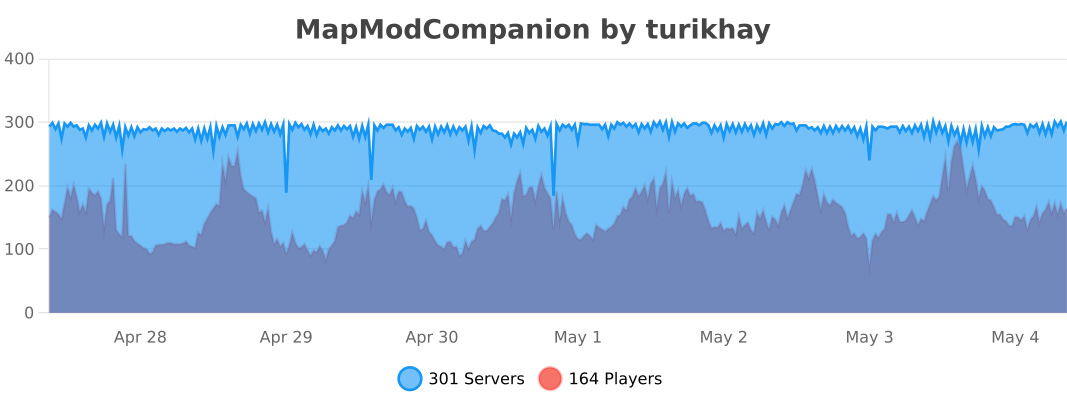](https://bstats.org/plugin/bukkit/MapModCompanion/16539 “MapModCompanion on bStats”)
[Folia](https://papermc.io/software/folia) is supported, but isn’t tested thoroughly. Please report if the support is broken.
## Installation
ℹ️ Plugin must be installed on every downstream (backend) server in your network. Simply installing it on the proxy side (BungeeCord/Velocity) isn’t enough. To ensure compatibility, you need to install the plugin on both the proxy server (BungeeCord/Velocity) and each of the backend servers (Spigot/Paper).
1. Download the latest release
2. Put each file into the corresponding plugins folder
3. That’s it. No configuration is required. You can restart your servers now.
## Configuration
The configuration file is stored at `plugins/MapModCompanion/config.yml` for both Spigot and BungeeCord.
Velocity uses `plugins/mapmodcompanion/config.toml`.
The configuration file reloads automatically if it’s modified.













 |
|
 |
|