zMenu
[](https://minestrator.com/a/GROUPEZ)

**Documentation**: [docs.zmenu.dev](http://docs.zmenu.dev)
**Documentation en français**: [docs.zmenu.dev/v/fr/](https://docs.zmenu.dev/v/fr/)
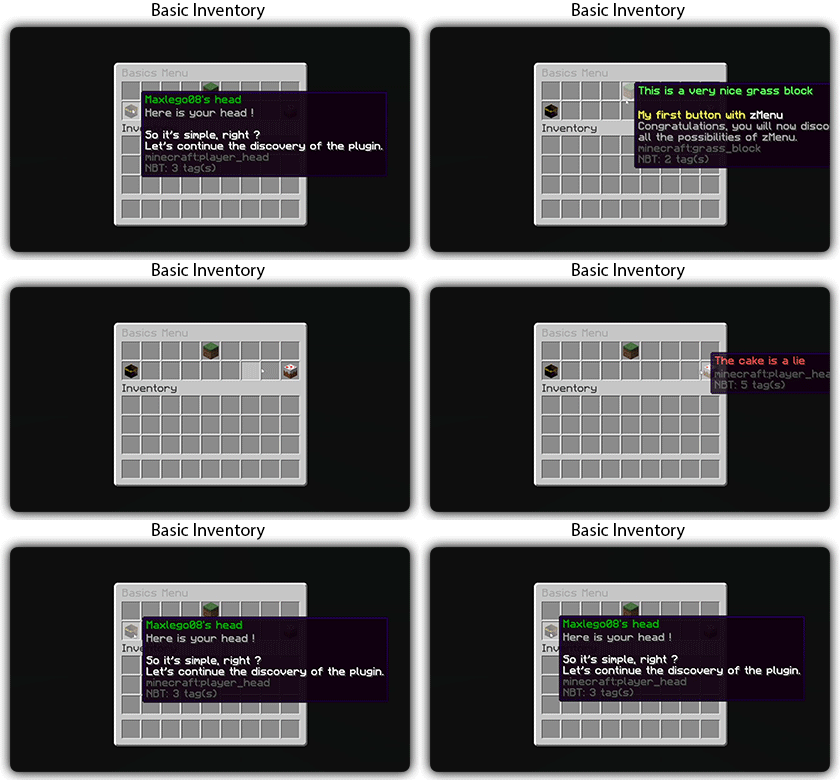
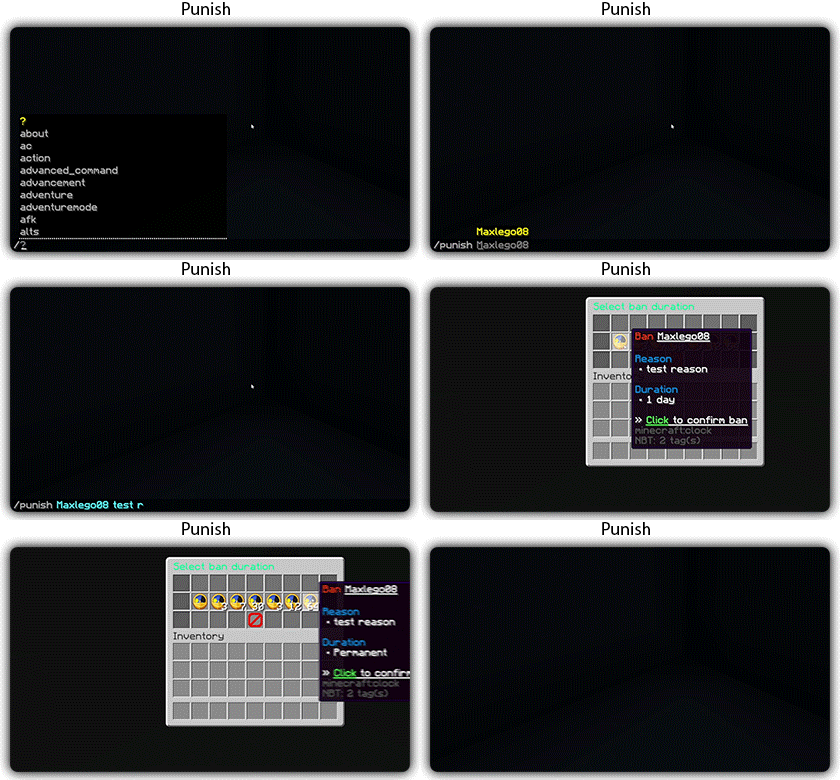
[](https://docs.zmenu.dev/plugins-files#example_shop.yml)

## With [zMenu+](https://www.spigotmc.org/resources/zmenu-premium-zmenu-addon.115533/) addon:
[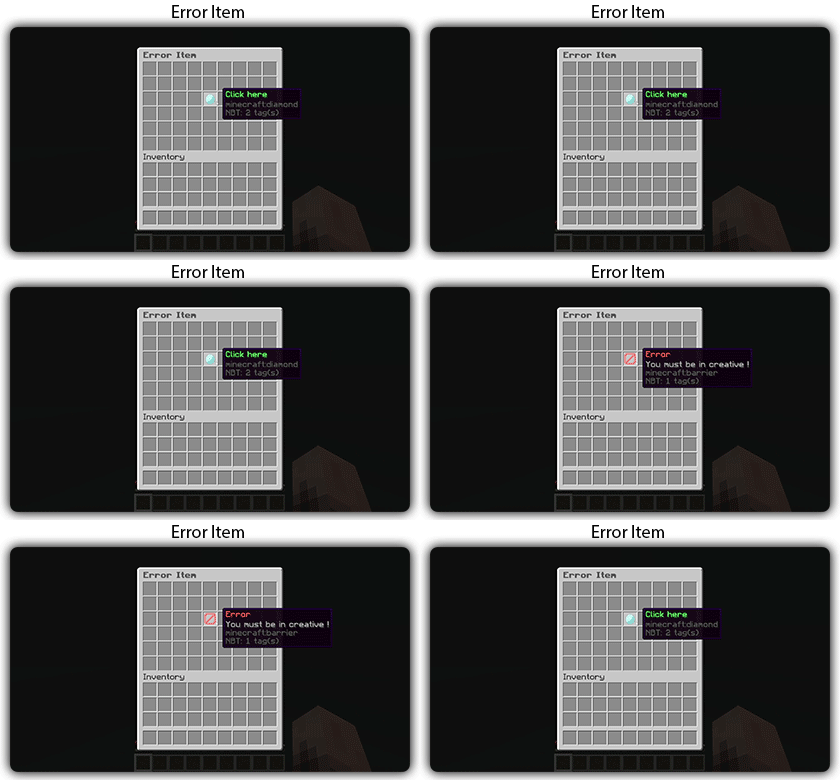](https://docs.zmenu.dev/configurations/buttons#error-item-zmenu)
[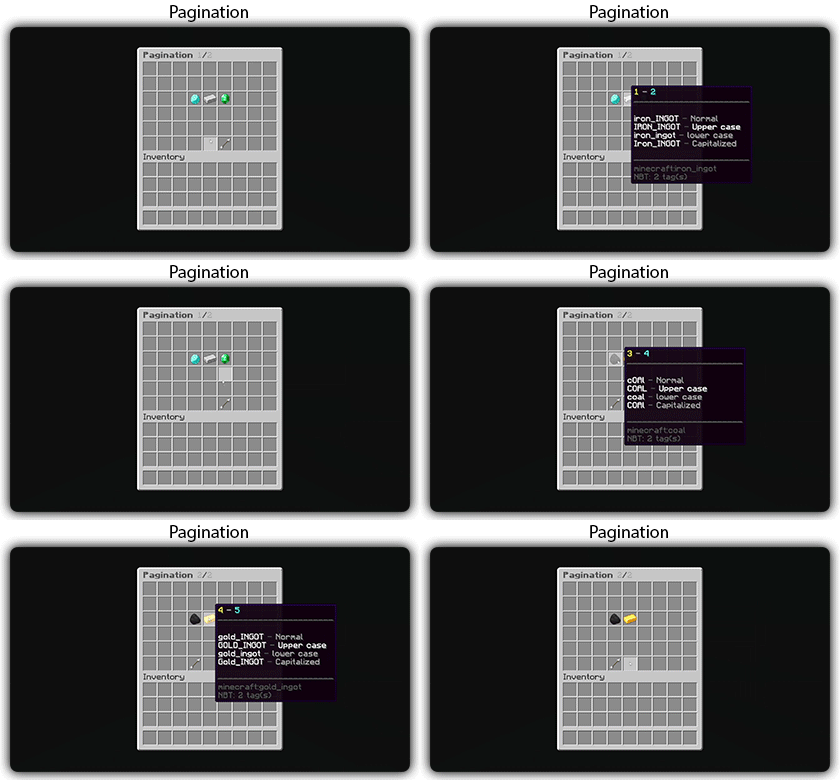](https://docs.zmenu.dev/configurations/buttons#pagination-zmenu)
[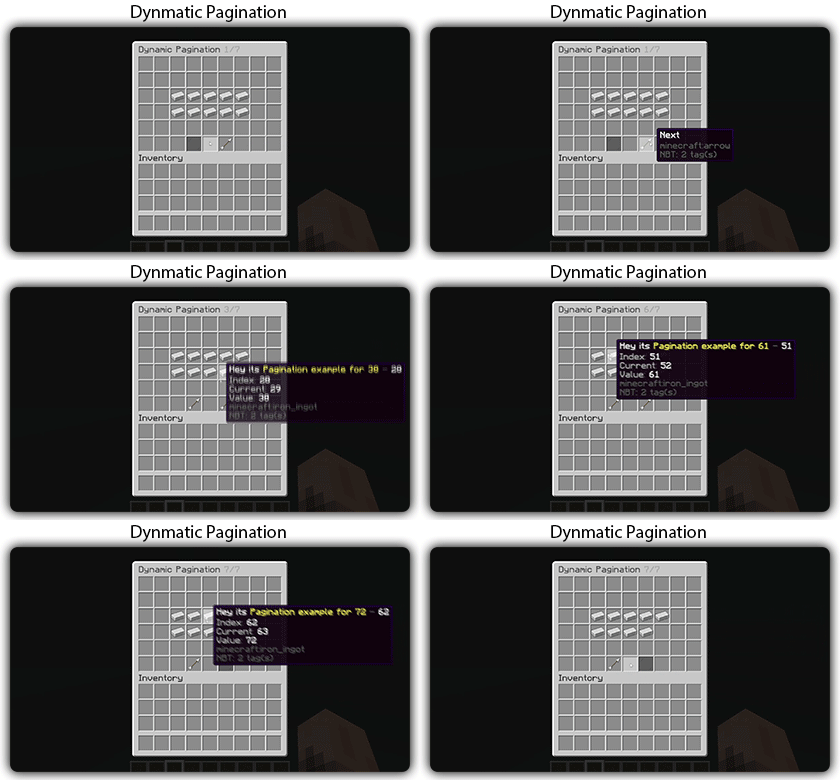](https://docs.zmenu.dev/configurations/buttons#dynamic-pagination-zmenu)
# **Features:**
✅ Ability to create an **infinite number of GUI** menus and **commands**.
✅ Possibility to create several pages in the same inventory.
✅ Arguments, actions, and auto-completion for your commands.
✅ A marketplace to download configurations.
✅ An [online inventory editor](https://minecraft-inventory-builder.com/).
✅ Open Source: [GitHub](https://github.com/Maxlego08/zMenu).
✅ Advanced API.
✅ Ability to create an infinite number of buttons for each of your actions.
✅ Highly customizable.
✅ PlaceholderAPI support.
✅ Kyori Adventure [Mini Message Format](https://docs.adventure.kyori.net/minimessage/format.html) support.
✅ [Folia](https://papermc.io/software/folia) support.
✅ Convert from other plugins: [zMenuConvert](https://www.spigotmc.org/resources/zmenuconvert.110403/).
✅ Patterns, no more need to copy and paste the same configuration several times!
✅ [zHead](https://www.spigotmc.org/resources/zhead-database.115717/) and HeadDatabase support.
✅ Documentation translated into several languages:
1. English: [docs.zmenu.dev](https://docs.zmenu.dev/)
2. Français: [docs.zmenu.dev/v/fr/](https://docs.zmenu.dev/v/fr/)
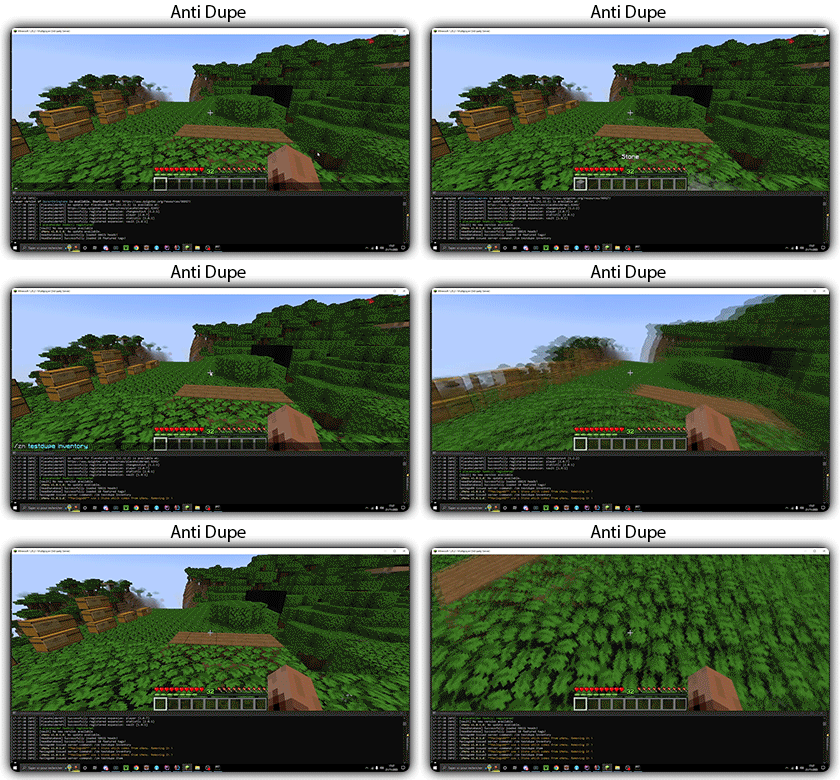
✅ **Anti-duplication** system. Duplication will be completely impossible with the plugin.
✅ Turn your items into a configuration with **/zm save**.
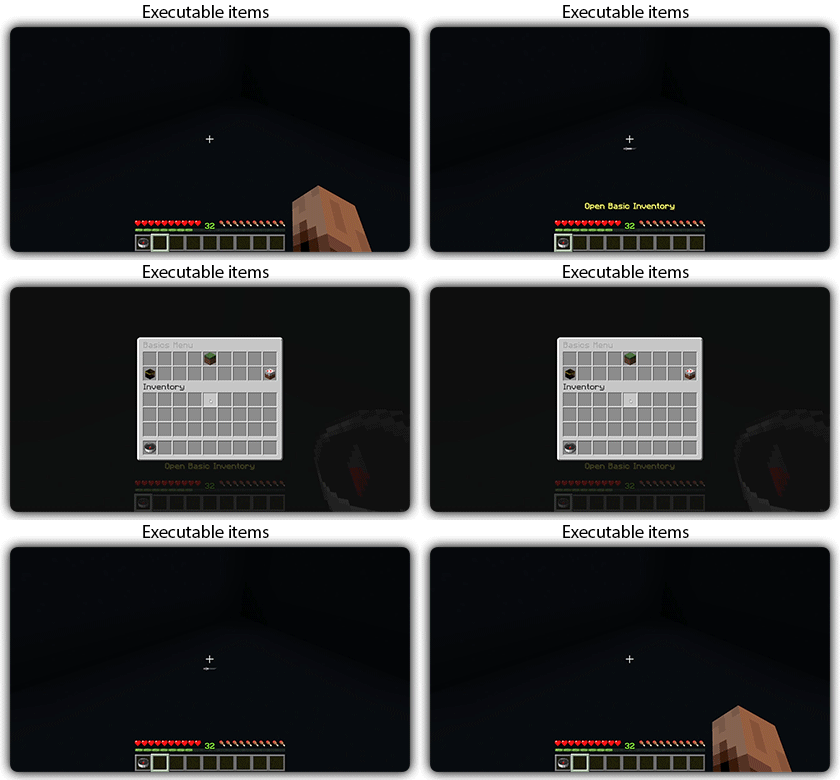
✅ Executable items for open inventories.
✅ Possibility to **translate your items** into several languages. The plugin displays the correct translation to the player!
✅ Use mathematical expressions in your inventories!
**Plugin’s files**: [https://docs.zmenu.dev/plugins-files](https://docs.zmenu.dev/plugins-files)
[](https://discord.groupez.dev/)
## Video:
[](https://youtube.com/watch?v=spxnyY7lY0Q)
[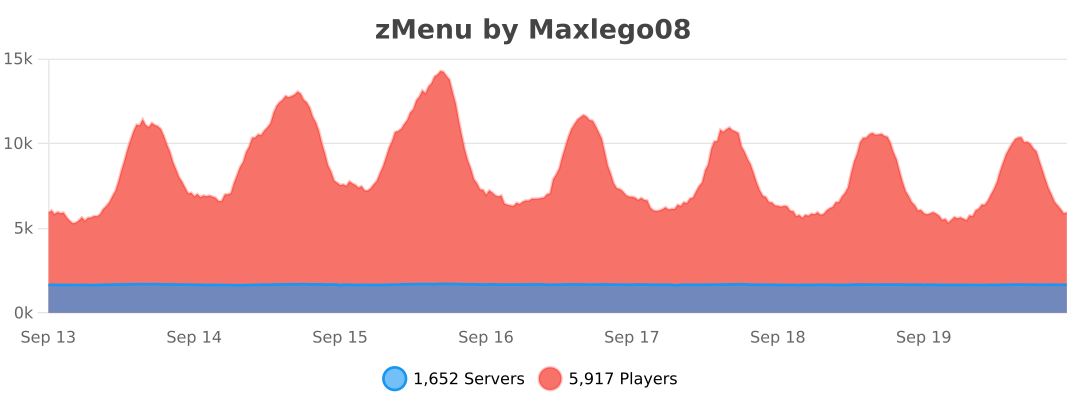](https://bstats.org/plugin/bukkit/zMenu/14951)
zMBlockLimiter
🔷 ZMBlockLimiter
🚀 ZMBlockLimiter is an ultra-lightweight and highly optimized plugin designed to limit specific blocks per chunk, helping to reduce lag, control automatic farms, and keep your server stable and fast on Paper, Spigot, Pufferfish, and Purpur.
💡 Built with real servers in mind, including existing worlds and advanced economies. Forget heavy scans and TPS spikes: smart control without impacting performance.
✨ Main Features
– 🌍 Per-chunk limits, not per player → prevents exploits and overload.
– 🏗️ Fully compatible with existing worlds, no unnecessary resets.
– ⚡ Optimized for Paper / Spigot / Pufferfish / Purpur.
– 🔒 No bypass: rules apply to all players equally.
– 🕹️ Lazy and controlled scanning system with low TPS impact.
– 📝 Clear, simple, and well-documented configuration.
– ⚙️ Ideal for intense survival gameplay and large automatic farms.
⚙️ How It Works
– Blocks are counted per chunk (16×16).
– ❌ No constant full-world scans.
– ✔️ Smart and gradual counting:
– When chunks load
– When blocks are placed or broken
– ➕ Add new blocks to the configuration and use /zmblocklimiter rescan to safely recalculate counters without freezing the server.

🧾 Commands
– /zmblocklimiter reload 🔄
Reloads the configuration (no scans)
– /zmblocklimiter rescan 🧹
Re-scans chunks to safely recalculate counters
🔐 Permissions
– zmblocklimiter.admin → Full command access
– zmblocklimiter.reload → Allows /zmblocklimiter reload
– zmblocklimiter.rescan → Allows /zmblocklimiter rescan
📌 Recommended Use Cases
– 🚜 Limiting hoppers, dispensers, and technical blocks
– 🌾 Controlling automatic farms
– ⚡ Reducing lag in overloaded chunks
– 🏰 Survival servers with many players
– 🛡️ Admins who want control without heavy plugins
🧠 Plugin Philosophy
ZMBlockLimiter does not try to patch lag —
it aims to prevent it at the root with a simple, clear, and efficient approach.
📦 Compatibility
– Minecraft 1.21+
– Paper
– Spigot
– Pufferfish / Purpur
🌐 Support / Spanish available
👤 Developed by zMarkitos_
ZLives

# Please read the concept of this plugin
## Concept :
– **1. Player A and Player B gets default 3 lives and 10 Hearts**
– **2. Player A killed Player B, then Player B will lose 1 live (remaining = 2) and in exchange of the live, player B will get +5 Hearts (total = 15).**
– **3. If Player A again killed Player B, then Player B will lose 1 live (remaining = 1) and in exchange of the live player B will get +5 Hearts (total = 20)**
– **4. After this if Player B killed Player A, then Player B will gain 1 live and -5 Hearts.**
– ### *NOTE : The maximum hearts obtainable are 25 and maximum lives are 3, so no one can go beyond it (untill changed from config.yml)*
## 1. Plugin Description
**ZLives** is a unique Minecraft plugin that introduces a **lives and heart system** to your server. Players start with a limited number of lives and hearts, and their actions (such as killing other players or being killed) affect their lives and hearts. Key features include:
– **Lives System**:
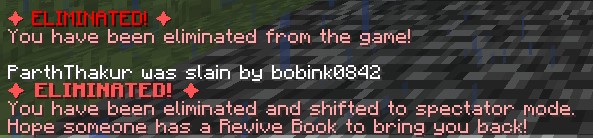
Players start with a default number of **3 lives**. When a player loses all their lives, they are eliminated and put into spectator mode.
– **Heart System**:
Players have a limited number of hearts, **default is 10** (20 Heart points). Hearts determine the player’s max health.
– **Revival System**: Eliminated players can be revived using a special **Revive Book** or by an admin using the `/revive` command.
– **Elimination Animation**: When a player is eliminated, a dramatic animation and sound effect play to signify their elimination.
– **Customizable Config**: The plugin allows server admins to configure default lives, hearts, and other settings via the `config.yml` file.
– **Commands**:
– `/lives`: Check your remaining lives and hearts.
– `/revive `: Revive an eliminated player (admin-only).
– `/elimination-animation`: Play the elimination animation on a player or at specific coordinates (admin-only).
## 2. Installation Guide
Follow these steps to install and set up the **ZLives** plugin on your Minecraft server:
#### **Step 1: Download the Plugin**
1. Download the `ZLives.jar` file from the provided source (e.g., SpigotMC, GitHub, or your custom build).
2. Place the `ZLives.jar` file in your server’s `plugins` folder.
#### **Step 2: Start the Server**
1. Start or restart your Minecraft server.
2. The plugin will generate a default `config.yml` file in the `plugins/ZLives` folder.
#### **Step 3: Configure the Plugin**
1. Open the `config.yml` file located in the `plugins/ZLives` folder.
2. Customize the settings as needed.
#### **Step 4: Test the Plugin**
1. Join your server and test the plugin’s features.
2. Use the `/lives` command to check your lives and hearts.
3. Test the elimination and revival mechanics.
—
## **3. Screenshots**
### **Elimination Animation**
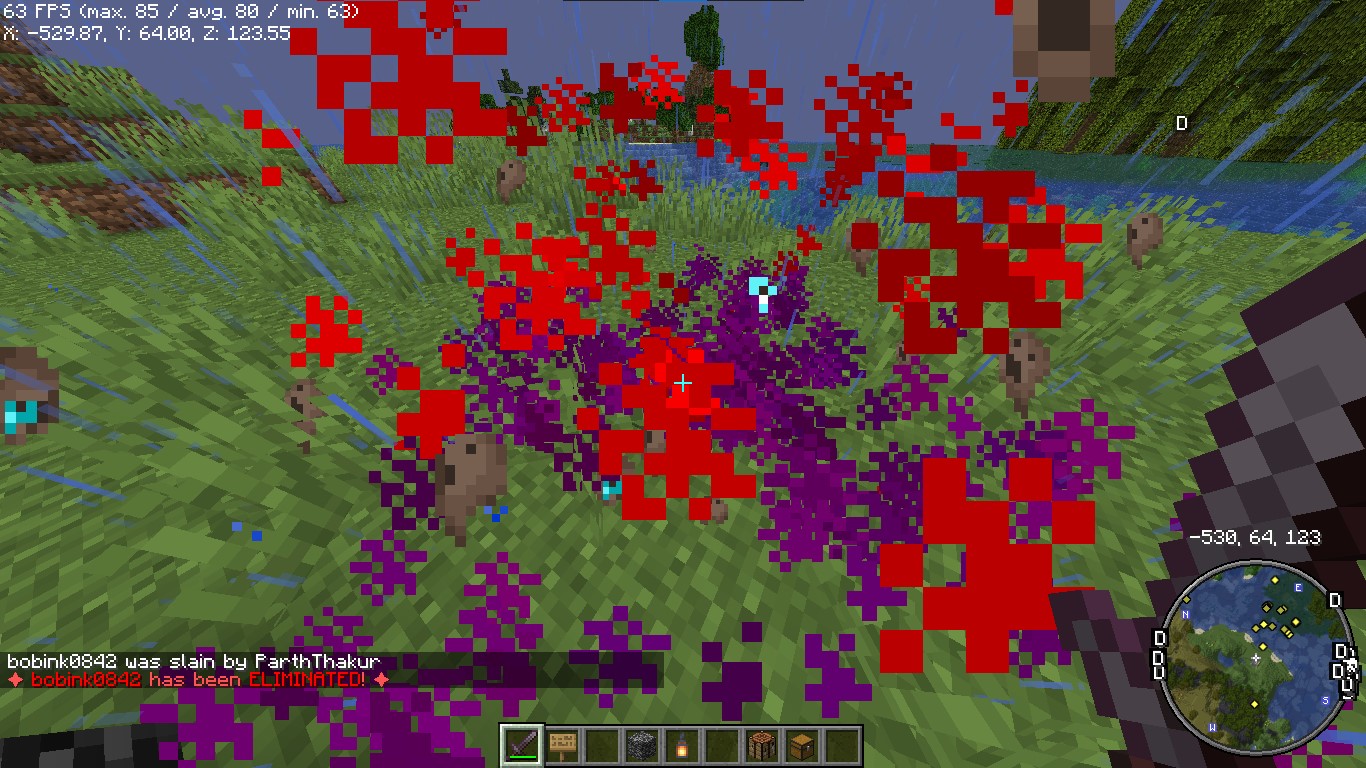
*Players see a dramatic animation when they are eliminated.*
### **Revival Animation**
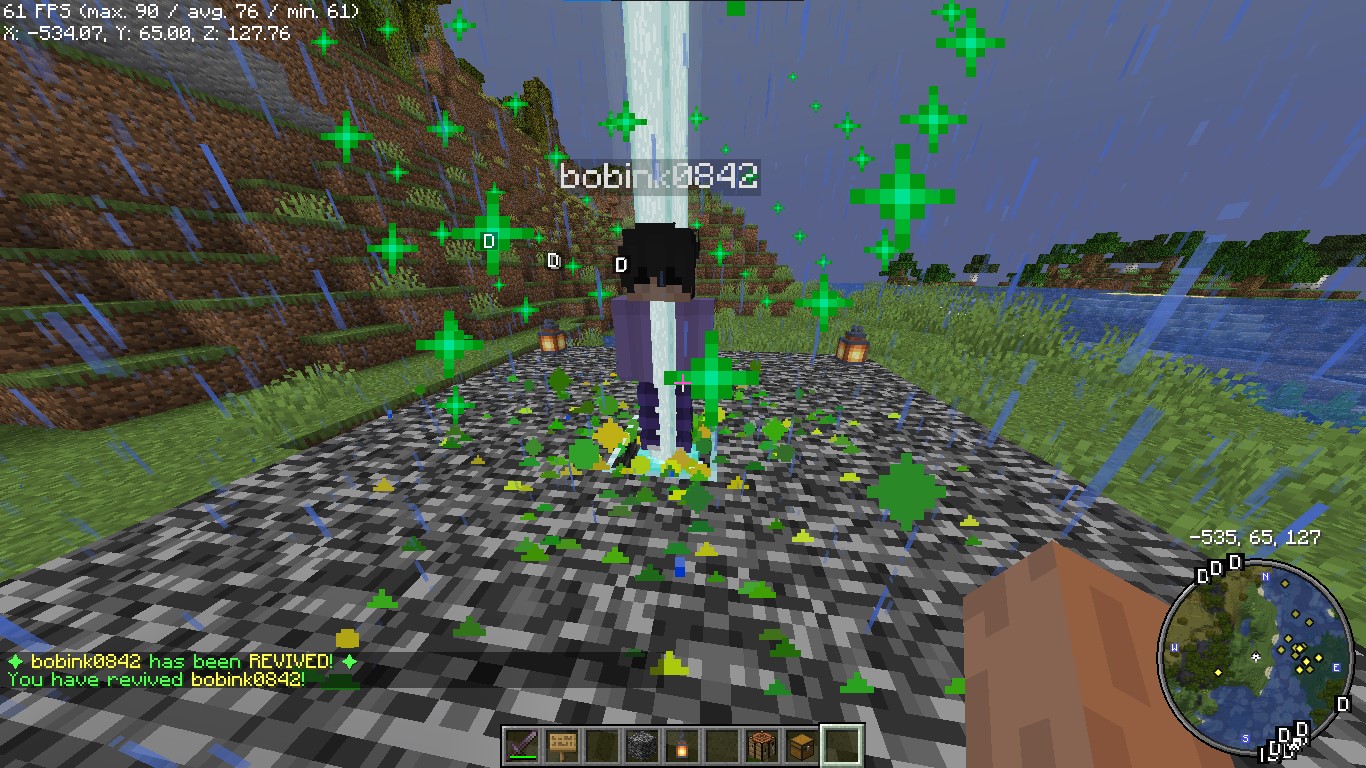
*Players see a dramatic animation when they are eliminated.*
### **Revive Book**

*The Revive Book can be crafted and used to revive eliminated players.*
### *Note: This recipe can be changed from config.yml.*
### **Remaining Lives message after killed by a player**

### **+5 Hearts on every death by a player**
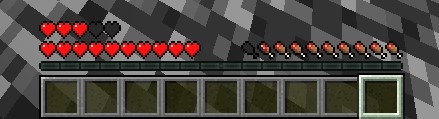
*+5 Hearts when a player is killed by other player*
### **Elimination Message**
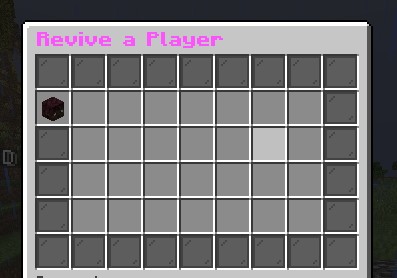
### **ReviveGUI**
## **4. Donations**
### Liked my Content? Want to support me?
– **Support me by sending money on this UPI QR Code**.

## **5. Reporting Issues**
**Need Help? Contact Us!**
Encountered a problem or have suggestions? We’re here to assist you!
### 📧 **Discord Support**: Contact me on Discord at **@iitian_69**.
#### **Step 1: Check the Logs**
1. Look for error messages in the server console or `logs/latest.log`.
2. Copy the relevant error message.
#### **Step 2: Provide Details**
When reporting an issue, include the following information:
– **Minecraft Version**: The version of Minecraft your server is running.
– **Server Software**: The server software you’re using (e.g., Spigot, Paper).
– **Plugin Version**: The version of the **ZLives** plugin you’re using.
– **Steps to Reproduce**: A detailed description of how to reproduce the issue.
– **Error Logs**: The error message or log snippet.
#### **Step 3: Submit the Issue**
**Contact me at discord username is : @iitian_69**
#### **Example Issue Report**
“`
**Minecraft Version**: 1.21.4
**Server Software**: Paper
**Plugin Version**: 1.0.0
**Issue**: Players are not losing hearts when they kill another player.
**Steps to Reproduce**:
1. Set default lives to 3 and hearts to 10 in the config.
2. Have a player with 2 lives kill another player.
3. Check the killer’s hearts after the kill.
**Error Logs**: [No errors in the logs]
“`
### **Final Notes**
The **ZLives** plugin adds a unique and engaging gameplay mechanic to your Minecraft server. If you have any questions, need further assistance, or want to suggest new features, feel free to reach out! 😊
Happy gaming! 🚀
zLink
zLink is your custom link plugin. It works by connecting to a database and giving the user a code, that code the user can input into your project to link their account. Right now you can fetch the users uuid, luckperms rank, display name, world, game mode and when they first joined.
**Please Note: This plugin is still in beta, there will be bugs and it will not be perfect.**
If you would like to get releases before it comes here please visit: [Our Official Website](https://link.zavrobot.tech/)
ZlAutoGive
## ✨ Overview
ZlAutoGive is a **powerful, lightweight, and fully configurable plugin** that automatically gives players the **vanilla drops** of blocks directly to their inventory! Perfect for servers that want to streamline resource collection while keeping the **vanilla Minecraft experience intact**.
With ZlAutoGive, you can:
* 💎 Automatically get blocks and items from mining or harvesting **without losing vanilla mechanics**.
* 🍏 Receive **apple drops from oak leaves** with the same probability as vanilla.
* 🛠 Respect **Silk Touch & Fortune enchantments** on your tools.
* 🎛 Apply **multipliers per permission group** (e.g., VIP, MVP) to increase drops.
* 📦 Handle **full inventories gracefully**, dropping items to the ground with a clear warning message.
* ⚡ Enable or disable the system dynamically, reload config/messages, and customize **prefixes & colors**.
—
## 🧩 Features
* ✅ Automatic vanilla drops
* ✅ Silk Touch & Fortune support
* ✅ Multipliers per permission (`zlautogive.multiplier.X`)
* ✅ Configurable messages with **colors** (`&x`, `&#hex`, `&`)
* ✅ Inventory full handling with item drop + warning message
* ✅ Works for **Minecraft 1.18 and above**
* ✅ Lightweight & server-friendly
—
## ⚙ Configuration
ZlAutoGive comes with:
* `config.yml` – Enable/disable system, set multipliers per permission.
* `messages.yml` – Customize all messages, including prefix, help, and inventory full warnings.
**Example config snippet:**
“`yaml
system-enabled: true
multipliers:
vip: 3
mvp: 5
“`
**Example message:**
“`yaml
inventory-full: “%prefix%&cYour inventory is full! Dropped &b%amount%x &f%item%”
“`
—
## 📝 Commands
| Command | Permission | Description |
| ——————– | ———————– | —————————————— |
| `/zlautogive on` | `zlautogive.admin` / OP | Enable the system (applies after restart) |
| `/zlautogive off` | `zlautogive.admin` / OP | Disable the system (applies after restart) |
| `/zlautogive reload` | `zlautogive.admin` / OP | Reload config and messages |
| `/zlautogive` | Any with permission | Show help message |
—
## 🎨 Customization
* Full **color support**: `&`, `&x`, `&#hex`
* **Prefix customization** in `messages.yml`
* Control multipliers per **LuckPerms groups**
—
## 💡 Why use ZlAutoGive?
* Saves players time without breaking vanilla Minecraft.
* Perfect for **semi-vanilla, survival, and minigame servers**.
* Fully **configurable and permission-based**, giving you complete control.
* Lightweight and **optimized for 1.18+ servers**.
—
## 🚀 Installation
1. Place `ZlAutoGive.jar` in your `/plugins` folder.
2. Start your server once to generate config/messages.
3. Configure multipliers and messages to your liking.
4. Reload with `/zlautogive reload` or restart the server.
—
## 📣 Support & Credits
* Developed by **Zeralyth Studios**
* For support or suggestions, contact your server dev team or reach out to Zeralyth Studios.
—
### 🎉 Enjoy streamlined mining & harvesting while keeping Minecraft fully vanilla! 🍀💎
Zhylon CombatLock
# Zhylon CombatLock
### Modern, Lightweight PvP Combat Plugin for Minecraft Paper Servers
**Zhylon CombatLock** is a powerful and efficient PvP combat system designed specifically for Minecraft Paper servers. Instead of merely tracking combat events, it actively locks players into combat to prevent unfair escapes, restrict certain actions, and ensure a fair and challenging PvP experience. Whether you’re running a hardcore PvP server or simply want to stop combat dodging, **Zhylon CombatLock** delivers with style, flexibility, and performance.
### ✅ Key Features:
– ⚔️ Automatically locks players into combat when taking real PvP damage
– ⏳ Displays an individual, visible combat timer in the action bar
– 🛑 Blocks specific commands while players are locked in combat
– 💀 Instantly punishes players who disconnect during combat by causing death and inventory drop
– ⚙️ Clean, easy-to-use configuration file with full control over timing and settings
– 🔌 Minimal external dependencies — only requires **ZhylonCore**, the backbone of all Zhylon plugins
*📦 Requires [ZhylonCore](https://www.spigotmc.org/resources/zhylon-core.126889/) to run.*
### 🛠️ Plugin Commands & Permissions:
– /combatlock — Toggle combat lock bypass (Permission: combatlock.toggle-bypass)
– /combatlock-check [player] — Check if a player is in combat lock (combatlock.check)
– /combatlock-reload — Reload plugin configuration (combatlock.reload)
– /combatlock-timeout — Set combat lock timeout (combatlock.timeout)
– /combatlock-toggle — Enable or disable combat lock globally (combatlock.toggle)
Permissions are defaulted to server operators (op) for control.
### ⚙️ Configuration Highlights:
– enabled: Enable or disable the plugin globally (default: true)
– combatlock-enabled: Enable or disable the combat lock feature (default: true)
– combatlock-timeout: Duration in seconds before combat lock expires (default: 10)
– combatlock-bypass-enabled: Allow bypassing combat lock (default: false)
Full configuration allows you to tailor combat behavior exactly to your server’s PvP rules.
### 🛠️ Setup Instructions:
1. Download ZhylonCombatLock.jar and ZhylonCore.jar
2. Place both files into your server’s /plugins/ folder
3. Restart or reload your server
4. Customize the config.yml inside /plugins/ZhylonCombatLock/ to fit your server’s rules
5. Enjoy a fair and balanced PvP combat system right out of the box!
zHomes







zHomes is a modern, fast and fully-configurable homes plugin for Spigot/Paper/Purpur/PufferFish servers. It focuses on simplicity, speed and customization so server owners can give players a familiar — but powerful — teleportation experience.
Some features:
– Create, delete and list homes
– Admin tools for managing and converting homes
– PlaceholderAPI support for message placeholders
– MiniPlaceholders support for minimessage placeholders
– Vault support for economy/command-costs
– GriefPrevention and WorldGuard integration for region checks
– Teleport warmup and safe-teleport checks
– Configurable commands, messages and permissions
– 100% configurable menus
– Uses SQL (H2/SQLite/MariaDB/MySQL) for storage (no local data/ directory)
Maintained by [yL3oft](https://github.com/yL3oft). This project is free and open-source.
—

Requirements
– Java 17+ (check release notes for exact JDK requirement)
– Paper, Spigot or a compatible fork
Installation
1. Download the latest JAR from Releases / Modrinth / Hangar / Spigot.
2. Place the JAR in your server’s `plugins/` folder.
3. Start the server once to generate config files (src/main/resources/config.yml defaults).
4. You’re done!
Quick test
– As a player: `/sethome home1` then `/home home1`
– As an admin: `/zhomes reload`
—

Admin
– `/zhomes info` — Shows plugin info and stats.
– `/zhomes reload` — Reloads plugin configuration and messages.
– `/zhomes version ` — Checks the plugin version and updates if `` is specified.
– `/zhomes nearhomes [radius] <-u -h >` — Check for homes near a location (your location by default). Admins can specify a user and home to check near that home.
– `/zhomes parse ` – Parse a string with Plugin Placeholders & PlaceholderAPI placeholders for a specific player.
– `/zhomes export` — Export all homes to a .json.gz file in the plugin folder.
– `/zhomes import ` — Import homes from a .json.gz file exported by `/zhomes export`.
– `/zhomes converter ` — Inline converter tool to import homes from other plugins (example: `/zhomes converter ultimatehomes`). See detailed converter docs: https://docs.yleoft.me/zhomes/commands-and-permissions/zhomes-converter-less-than-type-greater-than
Player / Home commands
– `/sethome [name]` — Create a home (default name if omitted).
– `/delhome [name]` — Delete a home. Admins can use `/delhome `.
– `/home [name]` — Teleport to a home. Admins can use `/home `.
– `/homes [player]` — List homes. Admins can use `/homes `.
– `/home rename [oldName] [newName]` — Rename a home
Notes
– Command costs and vault integration require Vault to be installed.
– Some commands have admin-only variants (see Permissions below).
Full command list and usage: https://docs.yleoft.me/zhomes/commands-and-permissions
—

Below are the permission nodes and their default intent as defined in the plugin configuration (zHomes/config.yml). Use your permissions plugin to grant or deny these.
Command permissions
– zhomes.command.main — Main command (True by default)
– zhomes.command.main.help — Help SubCommand (Only OP by default)
– zhomes.command.main.version — Version SubCommand (True by default)
– zhomes.command.main.info — Info SubCommand (Only OP by default)
– zhomes.command.main.reload — Reload SubCommand (Only OP by default)
– zhomes.command.main.nearhomes – Nearhomes SubCommand (Only OP by default)
– zhomes.command.main.parse — Parse SubCommand (Only OP by default)
– zhomes.command.main.converter — Converter SubCommand (Only OP by default)
– zhomes.command.main.importexport — Import & Export SubCommand (Only OP by default)
– zhomes.command.sethome — `/sethome` (True by default)
– zhomes.command.delhome — `/delhome` (True by default)
– zhomes.command.delhome.others — `/delhome ` (Only OP by default)
– zhomes.command.homes — `/homes` (True by default)
– zhomes.command.homes.others — `/homes ` (Only OP by default)
– zhomes.command.home — `/home` (True by default)
– zhomes.command.home.others — `/home ` (Only OP by default)
– zhomes.command.home.rename — `/home rename` (True by default)
Bypass / misc permissions (as defined in config.yml)
– zhomes.bypass.limit — Bypass home limits (Only OP by default)
– zhomes.bypass.dimensionalteleportation — Bypass dimension restriction (Only OP by default)
– zhomes.bypass.safeteleport — Bypass safe-teleport checking (False by default)
– zhomes.bypass.warmup — Bypass teleport warmup (Only OP by default)
– %command_permission%.bypass.command-cost — Bypass command-cost (Only OP by default). Command-specific bypass permission is generated from the command permission string (see config.yml)
– %command_permission%.bypass.command-cooldown — Bypass commands cooldown (Only OP by default). Command-specific bypass permission is generated from the command permission string (see config.yml)
If you want to see the authoritative defaults and change them, open src/main/resources/config.yml in the repo or check the live docs: https://docs.yleoft.me/zhomes/commands-and-permissions
—

zHomes contains an inline converter to import homes from well-known plugins. The converter runs in-chat (not a GUI). See full converter details here: https://docs.yleoft.me/zhomes/commands-and-permissions/zhomes-converter-less-than-type-greater-than
—

Supported integrations:
– PlaceholderAPI — Message placeholders supported & custom [placeholders provided by zHomes](https://docs.yleoft.me/zhomes/hooks/placeholderapi).
– MiniPlaceholders – MiniMessage placeholders supported for advanced message formatting & custom [placeholders provided by zHomes](https://docs.yleoft.me/zhomes/hooks/miniplaceholders).
– Vault — for economy-based command-costs.
– GriefPrevention — region checks integration.
– WorldGuard — region and flag checks.
– MiniMessage — advanced message formatting.
– bStats — anonymous metrics (configurable).
Enable or disable integrations from config and ensure the third-party plugins are installed on the server when you expect integration behavior.
—

If you find zHomes helpful or need assistance:
– Discord: https://discord.gg/yCdhVDgn4K
– Issues: https://github.com/yL3oft/zHomes/issues
– Docs: https://docs.yleoft.me/zhomes
Support the project by starring the repo and joining the Discord!
—
zHead
[](https://minestrator.com/a/GROUPEZ)
zHead is a swift and intuitive plugin enabling you to access thousands of custom Minecraft skulls with distinctive designs. This user-friendly skulls plugin opens the door to creative design possibilities, significantly improving your builds’ quality and offering creative liberty to both you and your players.
Should you seek additional methods to make your builds stand out with ease, zHead is the perfect solution!
Credit: [https://minecraft-heads.com/](https://minecraft-heads.com/)
## Commands:
– **/zhead** (aliases: /head, /zhd) – `zhead.use` – Display commands
– **/zhead reload** – `zhead.reload` – Reload configuration files
– **/zhead info** – `zhead.info` – Get head information
– **/zhead give [] []** – `zhead.give` – Give a head
– **/zhead search ** – `zhead.search` – Search heads
– **/zhead random [] []** – `zhead.random` – Give a random head
– **/playerhead ** – `zhead.player.head` – Give a player’s head
## Inventory Permissions:
– `zhead.miscellaneous`
– `zhead.plants`
– `zhead.monsters`
– `zhead.humanoid`
– `zhead.humans`
– `zhead.food.drinks`
– `zhead.decoration`
– `zhead.blocks`
– `zhead.animals`
– `zhead.alphabet`
– `zhead.refresh`
## Placeholders:
– **%zhead_count%** – Displays the total number of heads
– **%zhead_count_format%** – Displays the total number of heads with a format
– **%zhead_category_count_%** – Displays the total number of heads for a category
– **%zhead_category_count_format_%** – Displays the total number of heads for a category with a format
**API**: [https://github.com/Maxlego08/zHead?tab=readme-ov-file#api](https://github.com/Maxlego08/zHead?tab=readme-ov-file#api)
[](https://bstats.org/plugin/bukkit/zHead/21364)
## We would like to extend our heartfelt thanks to [Minecraft-Heads.com](https://minecraft-heads.com/) for providing their API, which has been an invaluable source of all the data used in our project.
zEssentials
[](https://minestrator.com/a/GROUPEZ)
**Attention, this is a free version of zEssentials, you can use it but you must buy the paid version to get help!**
[](https://zessentials.groupez.dev/)
[](https://github.com/Maxlego08/zEssentials/)
[](https://bstats.org/plugin/bukkit/zEssential/21703)
[](https://discord.groupez.dev/)
[](https://zessentials.groupez.dev/)
## **Plugin Required:**
– **zMenu**: [zMenu Ultra Complete Menu Plugin](https://www.spigotmc.org/resources/zmenu-ultra-complete-menu-plugin.110402/)
– **PlaceholdersAPI**: [PlaceholderAPI](https://www.spigotmc.org/resources/placeholderapi.6245/)
You can also install **Vault**, the plugin is intended to work with.
If you are on Folia, you must be careful to take the right version of the plugins. zMenu automatically supports Folia. For PlaceholderAPI, use [this version](https://github.com/Anon8281/PlaceholderAPI/releases/tag/1.1). For Vault, use [This version](https://github.com/Geolykt/Vault/releases).
Download the latest zMenu DEV version on my Discord: [Discord Link](https://discord.gg/ZaHrgZCfh4)
## **Convert from other plugins:**
– [CMI](https://zessentials.groupez.dev/getting-started/convert#cmi) **/zess convert CMI**
## [**Features:**](https://zessentials.groupez.dev/)
### ✅ **Economies**
### ✅ **Teleportation**
### ✅ **Confirmation Inventories** (for /pay and /tpa)
### ✅ **Join** and **Quit** messages
### ✅ **JSON** and **MYSQL** storage
### ✅ **Open Source**
### ✅ Support for multiple languages: **French**, **English**, and **Italian**
### ✅ All messages are configurable
### ✅ **Folia** Support
### ✅ **MiniMessage** Support
### ✅ **Module** system
### ✅ **Warp** (with GUI)
### ✅ **Spawn**
### ✅ Ability to **disable each command**
### ✅ **Random Tp**
### ✅ **Home** (4 display types)
### ✅ **Sanction** (ban, mute, kick, kickall)
### ✅ More than **130 commands**
### ✅ **Redis**
### ✅ **Chat Format**
### ✅ **Chat Histories**
### ✅ **Kits**
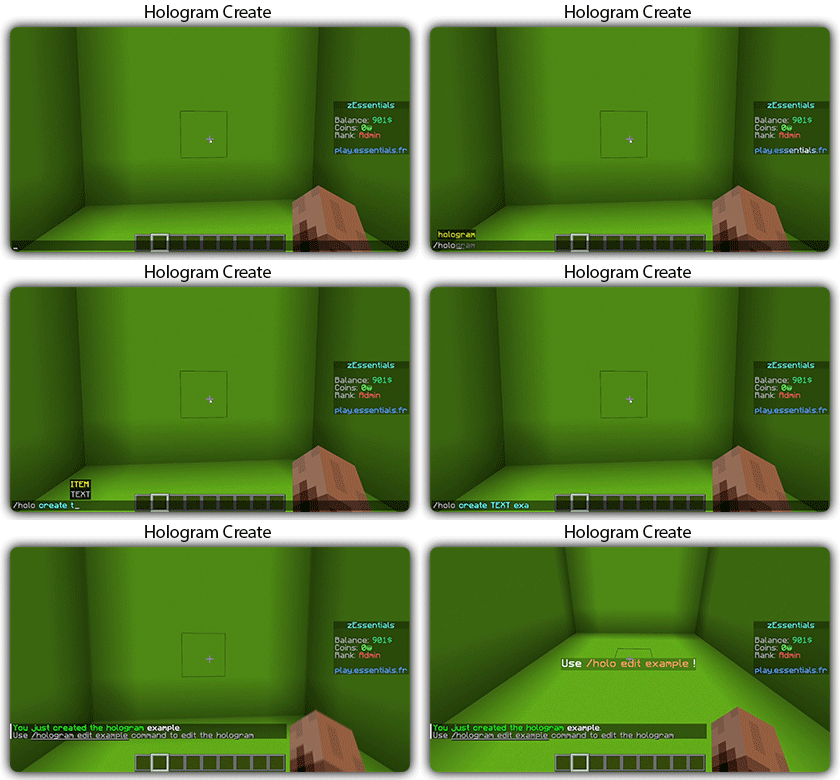
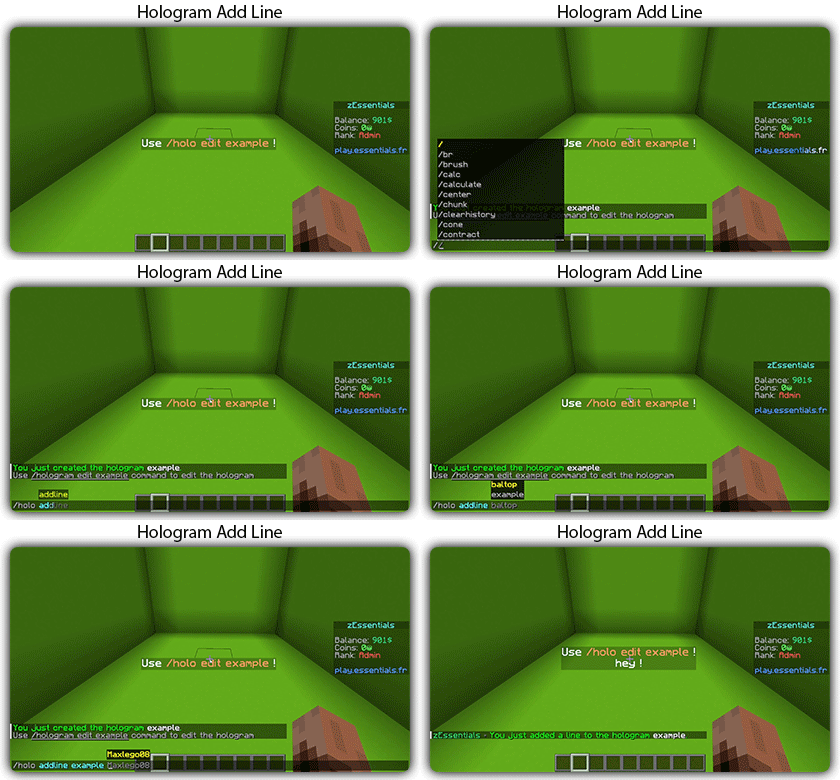
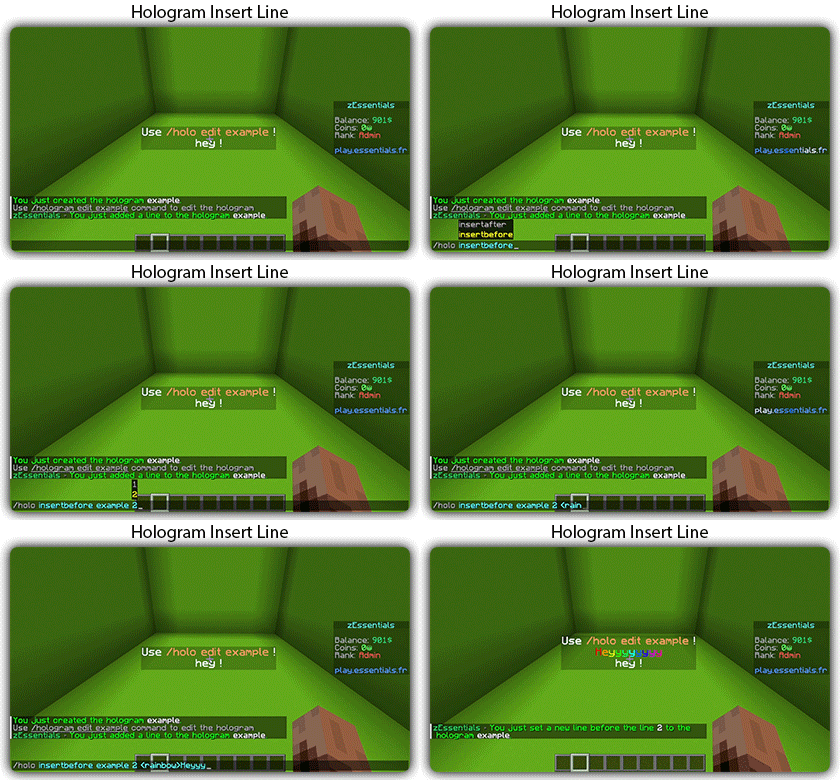
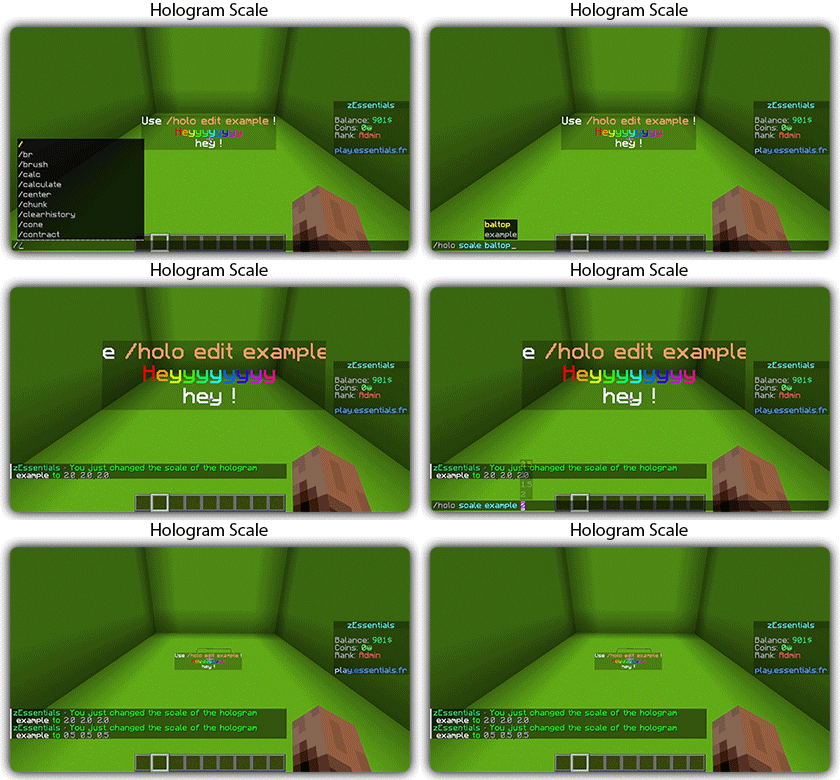
### ✅ **Holograms**
### ✅ **Scoreboard**
### ✅ **Mailbox** for items
### ✅ **Rules**
### ✅ More than **35 placeholders**
### ✅ **Alignment placeholder** (like MCC Island)
### ✅ **Replace placeholder** (replaces the result of a placeholder with another thanks to various conditions)
### ✅ Ultra complete **documentation** and **default configuration**, everything is explained correctly!
### ✅ **Baltop**
### ✅ **Developer API**
### ✅ **Offline EnderSee and InvSee**
### ✅ Create **custom items**
### ✅ **Multiple message types**: ACTION, CHAT, TITLE, CENTER, NONE, CHAT_AND_ACTION, WITHOUT_PREFIX
## [**Chat Module**](https://zessentials.groupez.dev/modules/chat)
### ✅ Different rules of chat protection (alphanumeric, links, ItemsAdder font, same message, etc.)
### ✅ Dynamic cooldown: The faster the player writes, the longer the cooldown
### ✅ Clear and Toggle chat commands
### ✅ Chat format by permission
### ✅ Permission for mini message or color in chat
### ✅ Moderator actions on messages
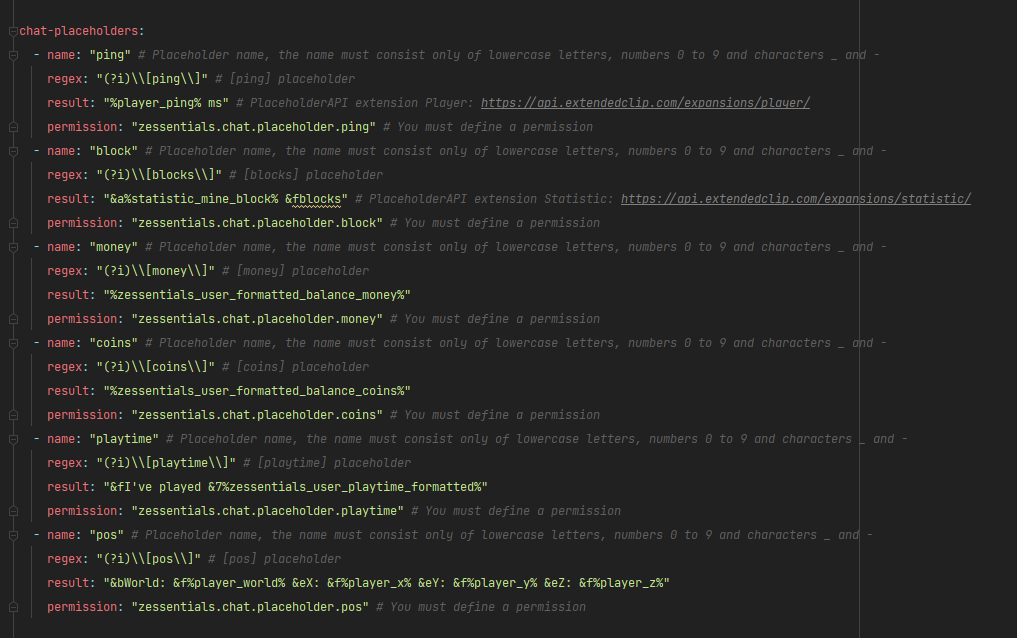
### ✅ Chat placeholders: [pos], [item], [playtime], and custom placeholders!
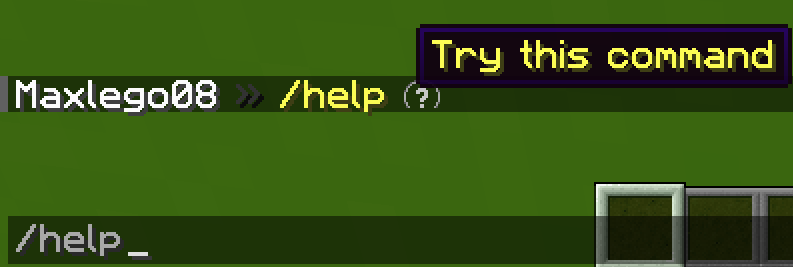
### ✅ Command placeholders: Replace **./** with a clickable command!
Images






## [**Discord Module**](https://zessentials.groupez.dev/modules/discord)
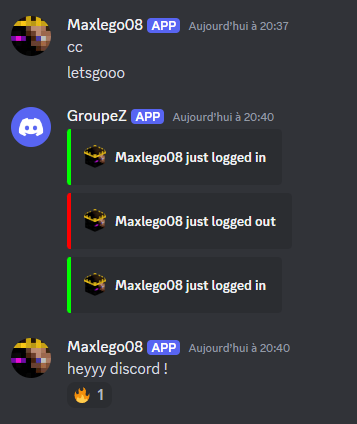
### ✅ **Chat Message**
### ✅ **Join Message**
### ✅ **Quit Message**
### ✅ **First Join Message**
Images
## [**Economy Module**](https://zessentials.groupez.dev/modules/economy)
### ✅ Create multiple virtual **economies**
### ✅ **Vault** support
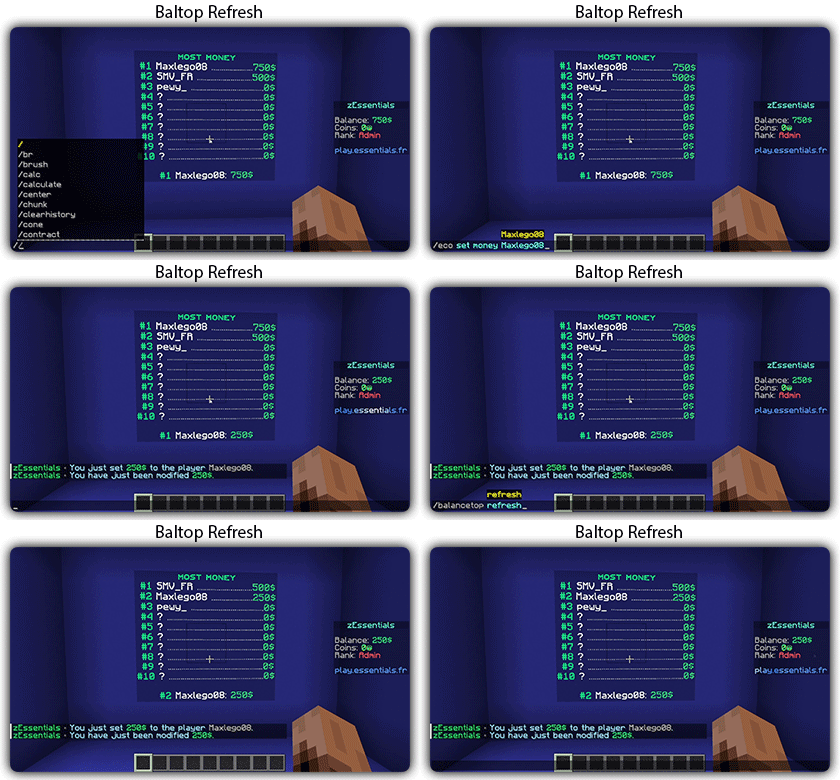
### ✅ **Baltop** (inventory and message)
### ✅ Several ways to **display numbers**
## [**Hologram Module**](https://zessentials.groupez.dev/modules/hologram)
### ✅ **Display Entities**, Text, Item, and Block
### ✅ **Packet-Based**: All holograms are client-side (zEssentials takes care of everything, no other plugins needed)
### ✅ **In-game editor**: +20 commands to modify each element of your holograms
### ✅ [**Event System**](https://zessentials.groupez.dev/modules/hologram#events): Updates your holograms with events, no more lagging tasks
### ✅ PlaceholderAPI Support
### ✅ **Damage Indicator**
## [**Homes Module**](https://zessentials.groupez.dev/modules/home)
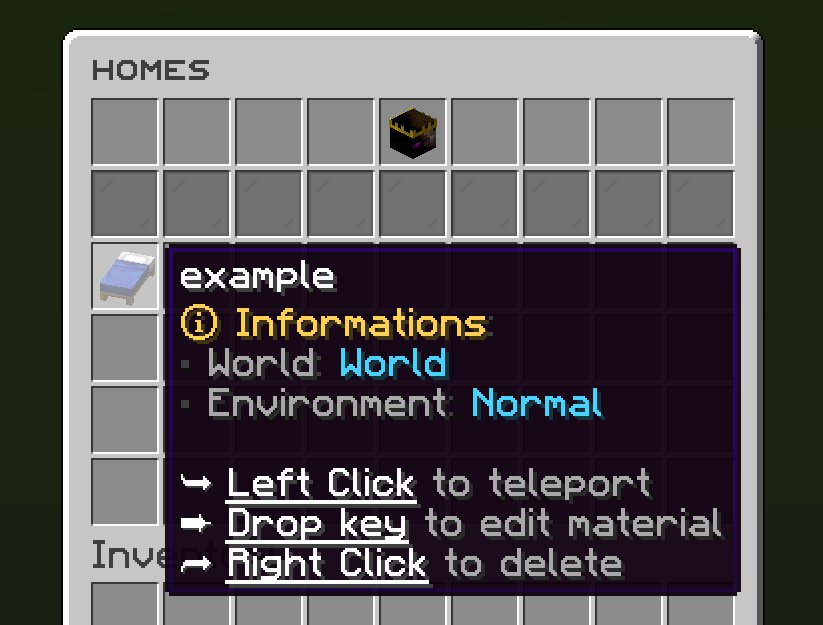
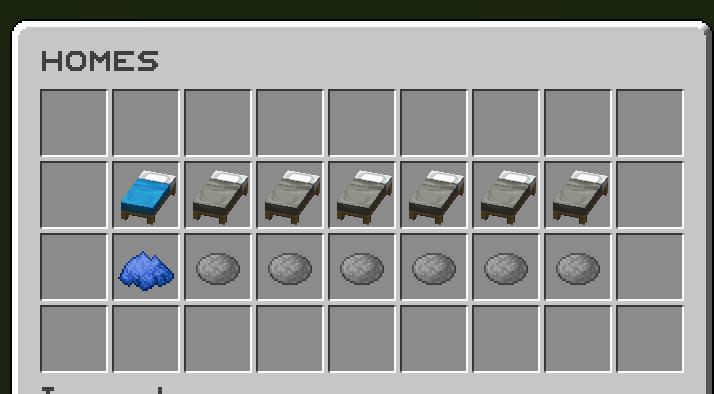
### ✅ 4 ways to display homes: inventory, like donutsmp inventory, inline message, multiline message
### ✅ Offline Support
### ✅ Homes Per Rank: Set the number of homes by permission
Images



## [**Items Module**](https://zessentials.groupez.dev/modules/items)
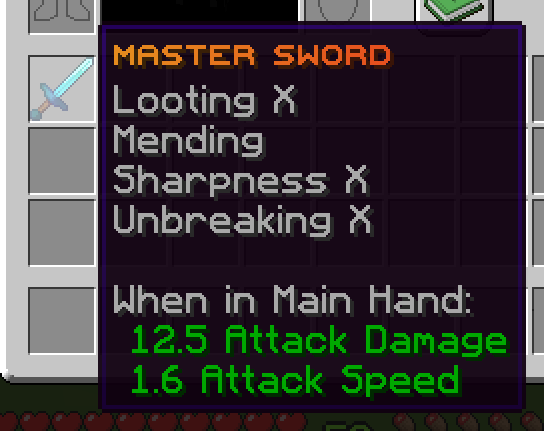
### ✅ Create custom items: Use the /give or /giveall command for accessions
Images

## [**Kit Module**](https://zessentials.groupez.dev/modules/kits)
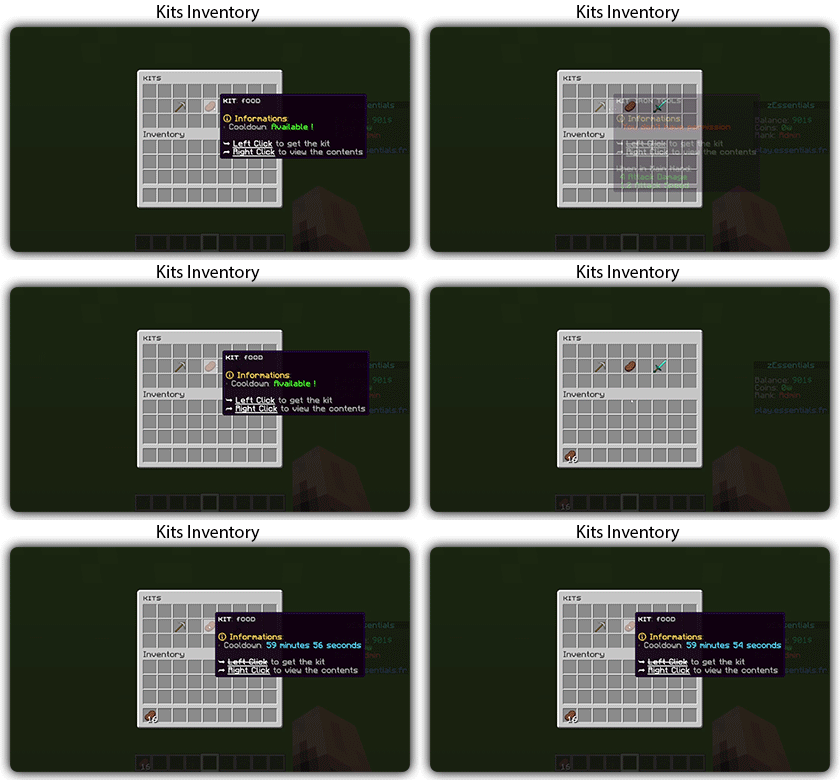
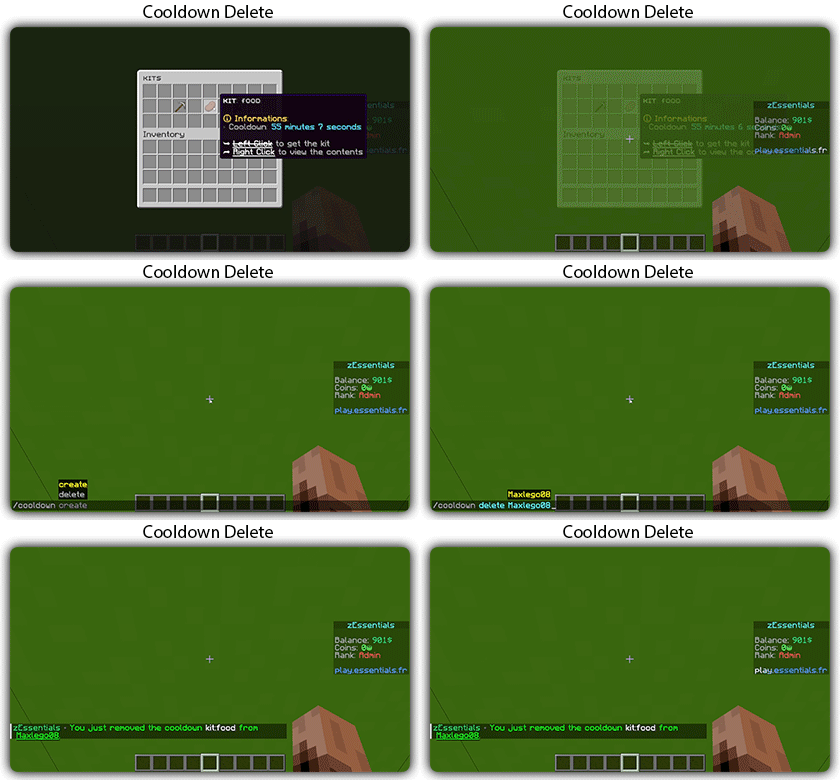
### ✅ **Cooldowns**: Set a time between each kit recovery
### ✅ [**Execute actions**](https://docs.zmenu.dev/configurations/buttons/actions): Perform actions when a player gets the kit (commands, message, sound, etc.)
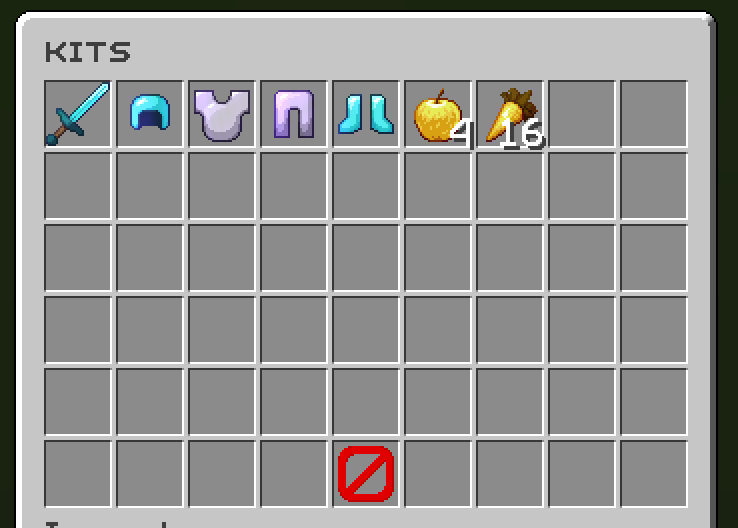
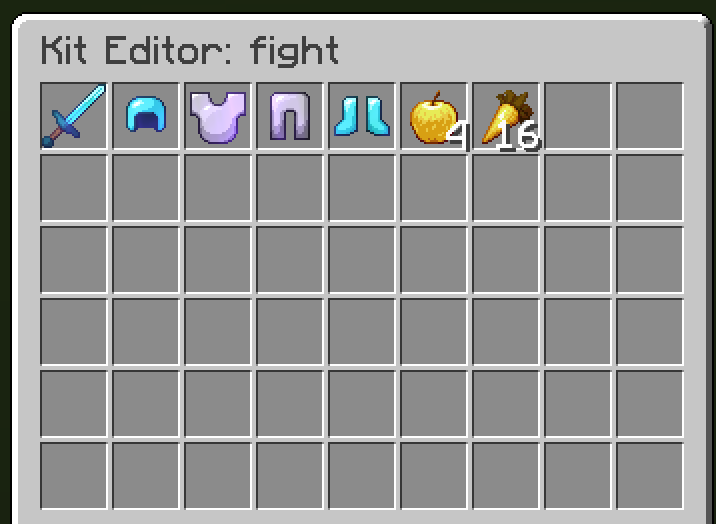
### ✅ **GUI Driven**: Edit, preview, and obtain kits via customizable inventories
### ✅ **Cooldown management**: Use commands to manually add or remove cooldowns (not just for kits)
Images
## [**Mailbox Module**](https://zessentials.groupez.dev/modules/mailbox)
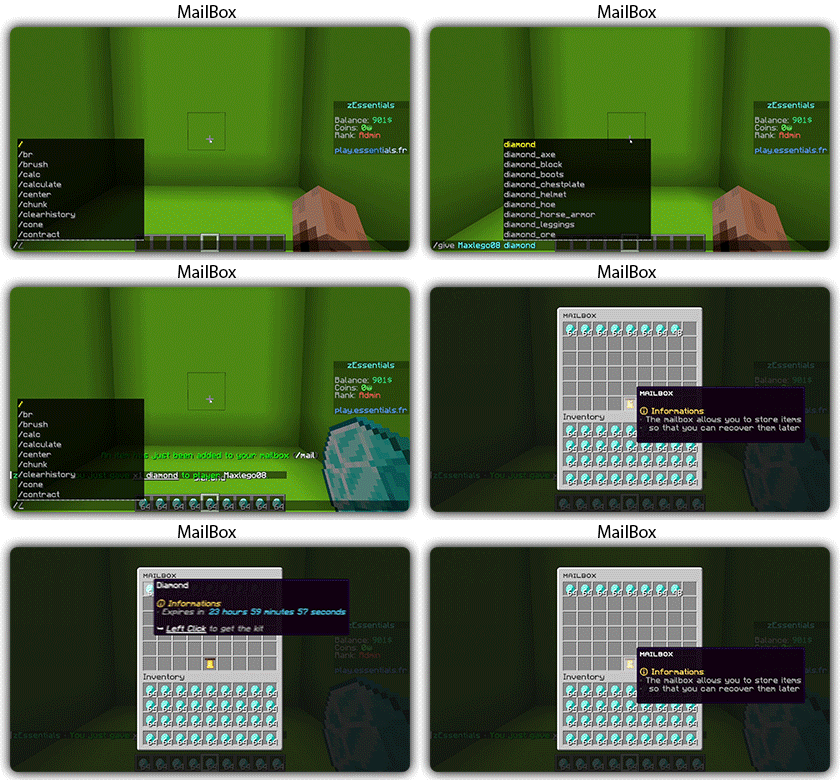
### ✅ Allows to **store items**; the player cannot add items to it, they can only remove them
### ✅ If the player’s inventory is **full**, the items will end up in the mailbox
### ✅ A complete **API** for anyone to add items to the mailbox
## [**Messages**](https://zessentials.groupez.dev/messages)
### ✅ **7 message types**: chat, action, without_prefix, none, center, bossbar, title
### ✅ **Translated into multiple languages**: English, French, Italian, German
### ✅ Send [**multiple messages**](https://zessentials.groupez.dev/messages#multi-messages) at the same time
### ✅ **MiniMessage** support
### ✅ **Custom placeholders**: Define a placeholder list for your messages, such as `` and ``
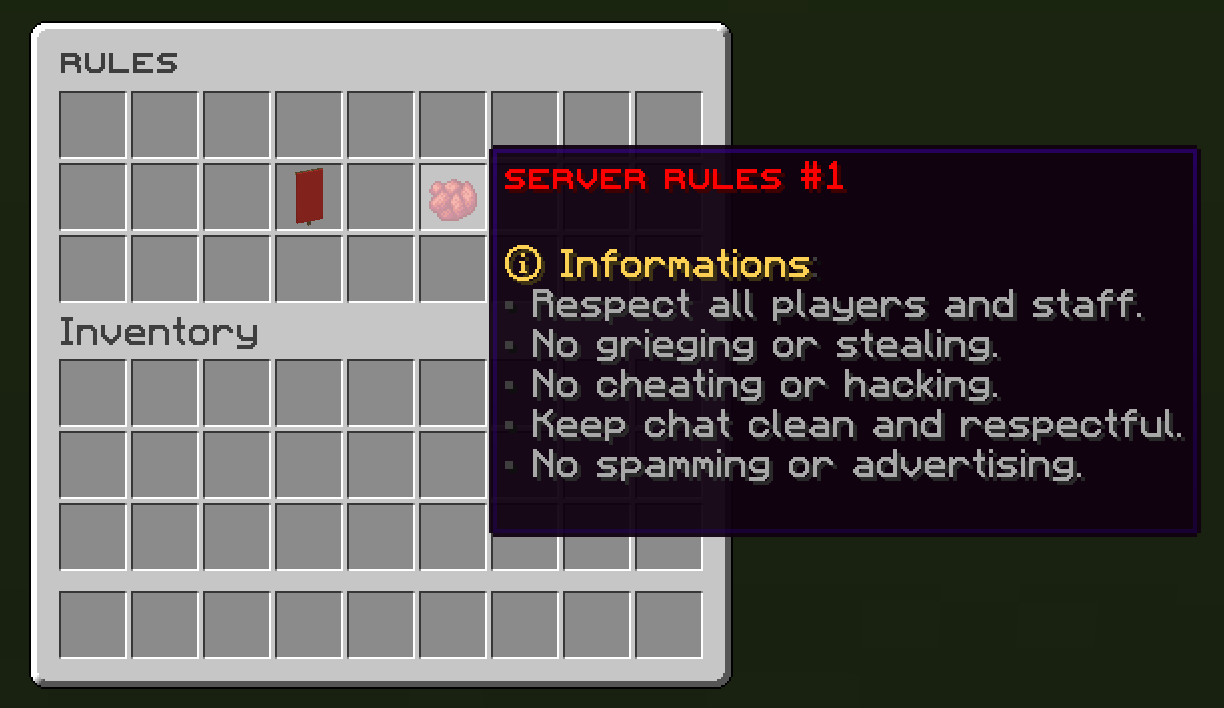
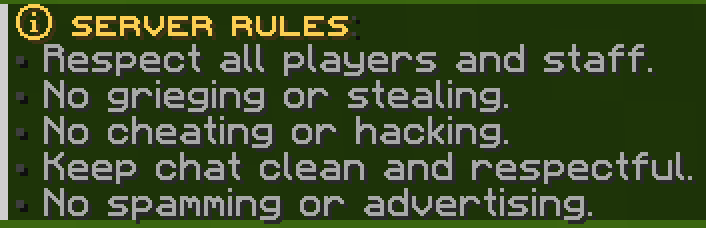
## [**Rules Module**](https://zessentials.groupez.dev/modules/rules)
### ✅ Displays server rules either by message or in an inventory
Images
## [**Sanction Module**](https://zessentials.groupez.dev/modules/sanction)
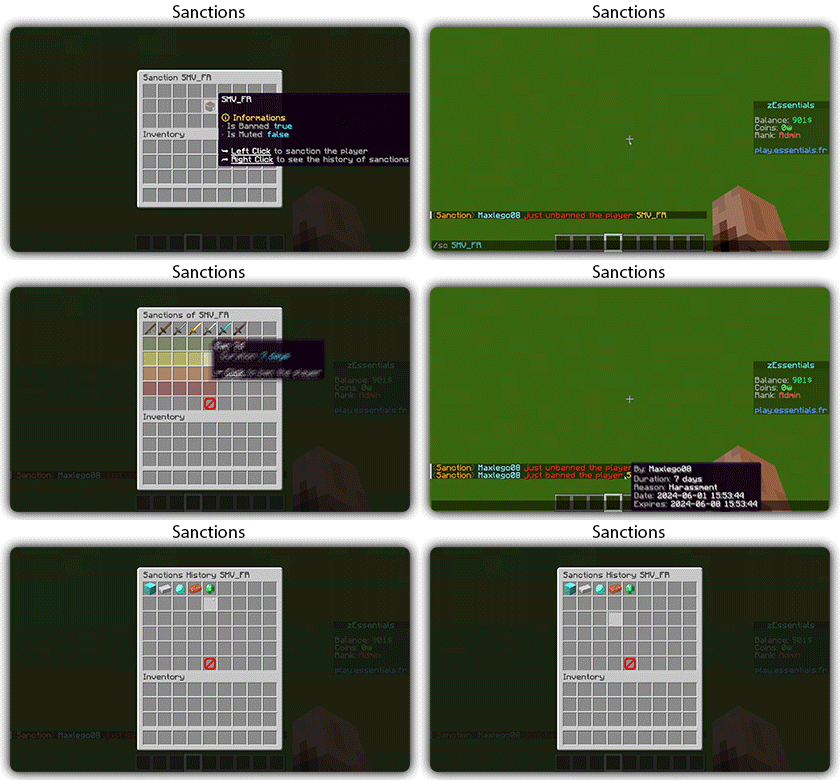
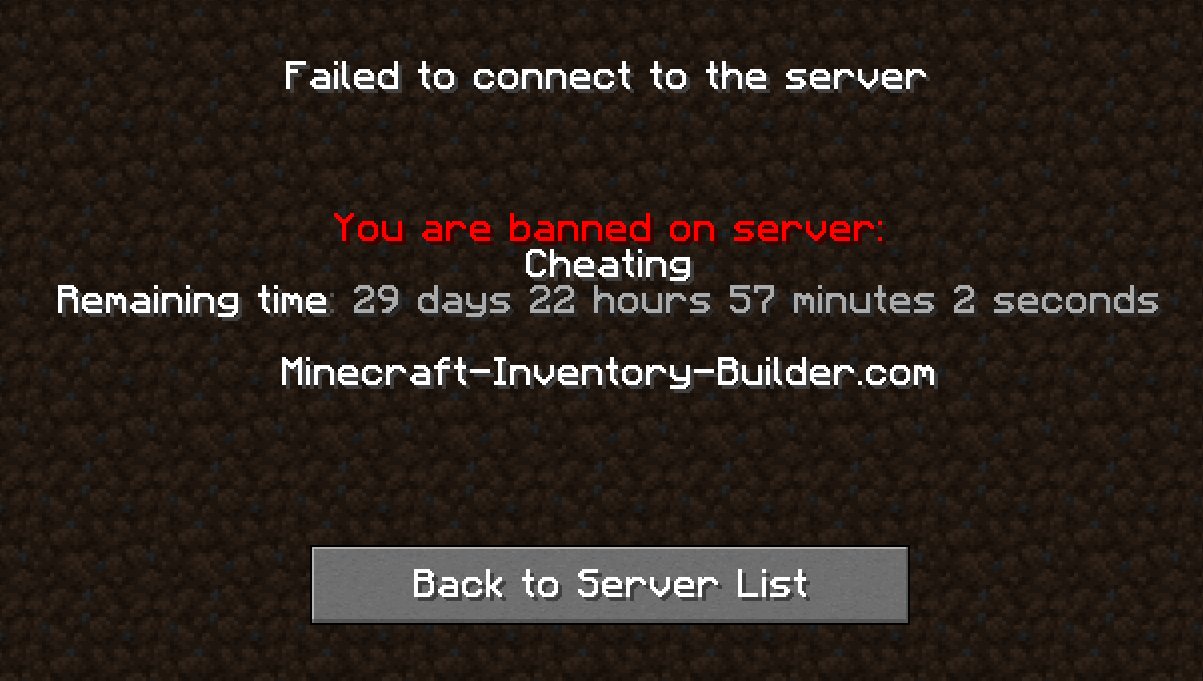
### ✅ 3 Punishment Types: Ban, Mute, and Kick
### ✅ **Immune**: A list of players immune to sanctions!
### ✅ **Sanctions history**
### ✅ **Inventories**: An inventory to display the player’s profile with active sanctions, an inventory to display the player’s sanctions history, and an inventory to apply a predefined sanction to the player
Images

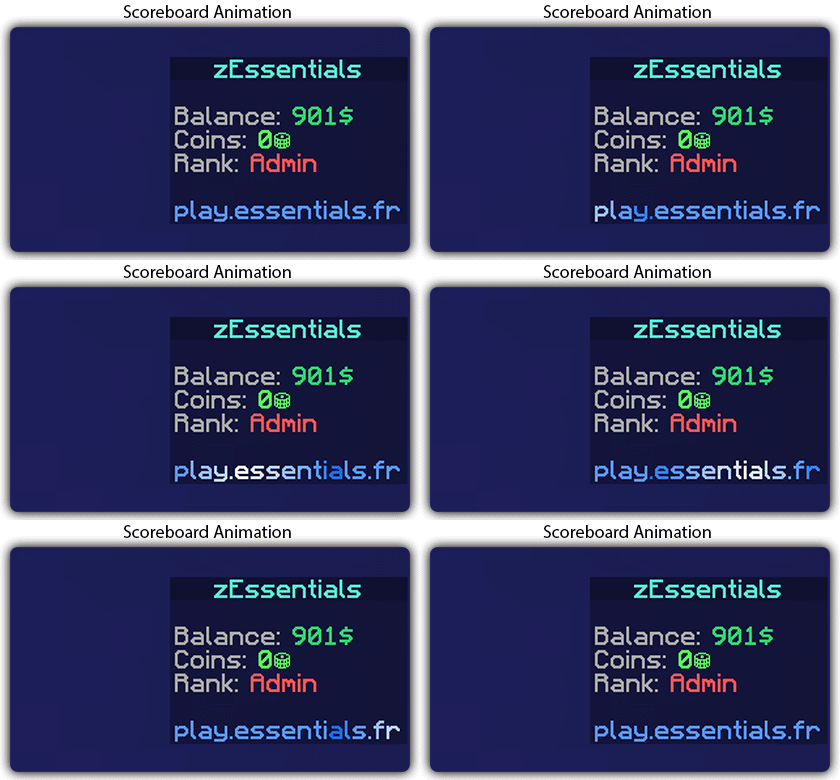
## [**Scoreboard Module**](https://zessentials.groupez.dev/modules/scoreboard)
### ✅ **Packet-Based**: All scoreboards are client-side (no other plugins required, zEssentials handles everything)
### ✅ [**Event System**](https://zessentials.groupez.dev/modules/scoreboard#events): Updates your scoreboard with events, no more lagging tasks
### ✅ **Animation**: Create animations for your scoreboard
### ✅ **Unlimited Length**: Use as many characters per line as you want
### ✅ [**MiniMessage Support**](https://docs.advntr.dev/minimessage/index.html): Works perfectly with mini message formats
### ✅ **Scoreboard Commands**: Player command to toggle scoreboard display
### ✅ **Custom board**: Create unlimited scoreboards using [zMenu requirements](https://docs.zmenu.dev/configurations/buttons/requirements#requirements-type) (permission, placeholder, regex, LuckPerms, etc.)
### ✅ PlaceholderAPI Support
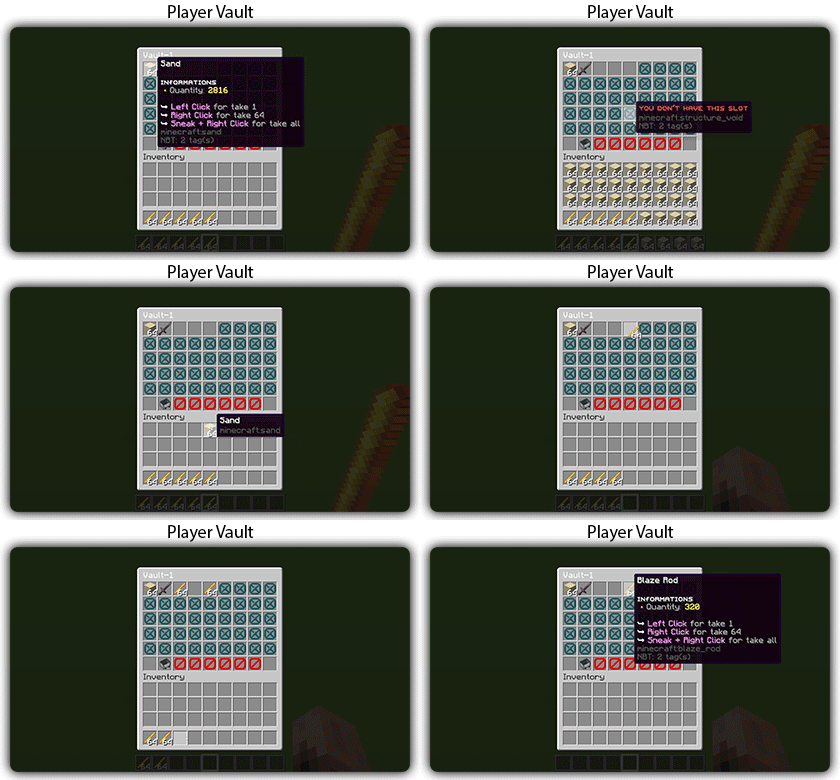
## [**Player Vault Module**](https://zessentials.groupez.dev/modules/vault)
### ✅ **Unlimited** player vaults
### ✅ Set the number of **slots** for each player
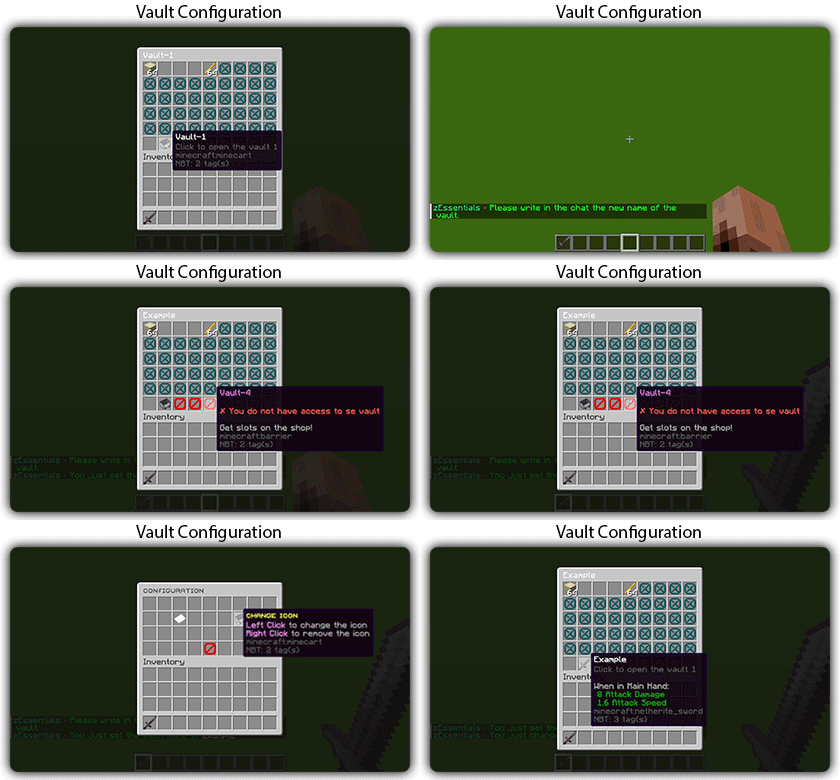
### ✅ **Rename** and custom **icon**
## [**Vote Module**](https://zessentials.groupez.dev/modules/vote)
### ✅ (I’m too lazy for the vote description now, sorry, but it’s a very good module, I swear!)
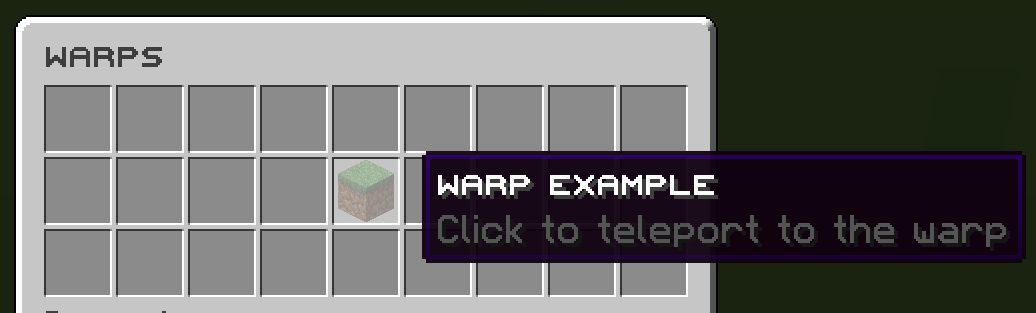
## [**Warp Module**](https://zessentials.groupez.dev/modules/warp)
### ✅ Displays warps in an inventory or message
### ✅ **Permission per warps**
Images

**Documentation**: [https://zessentials.groupez.dev/](https://zessentials.groupez.dev/)
Silk Spawner
# RU
Данный плагин позволяет добывать спавнера любыми кирками с шелковым касанием, сохраняя моба внутри. Вы так же можете менять текст спавнера в конфиге
# EN
This plugin allows you to mine the spawner with any silk touch pickaxe while keeping the mob inside. You can also change the spawner text in the config