世界存档优化器(自动异步保存)
# WorldSaveOptimizer
## 概述Overview
专为bukkit 1.21+服务器设计的插件,优化世界保存功能。
A plugin designed specifically for Bukkit 1.21 servers, optimizing world-saving functionality.
## 功能特性Features
– 异步自动保存:每5分钟自动保存,减少卡顿
– 可禁用原版自动保存机制
– 手动保存支持
– 灵活配置系统
– 完整命令和权限系统
– Asynchronous auto-save: automatically saves every 5 minutes to reduce lag
– Option to disable the original auto-save mechanism
– Manual save supported
– Flexible configuration system
– Complete command and permission system
## 系统要求System Requirements
– bukkit 1.21+
– Java 21+
– 建议2GB RAM Recommended 2GB RAM
## 安装方法Installation method
1. 将WorldSaveOptimizer.jar放入plugins目录-Place WorldSaveOptimizer.jar into the plugins directory
2. 重启服务器或使用/reload命令-Restart the server or use the /reload command
## 配置文件Configuration File
首次启动后在plugins/WorldSaveOptimizer/config.yml生成配置The configuration will be generated in plugins/WorldSaveOptimizer/config.yml after the first launch:
`yaml
save-interval-minutes: 5
save-message: “&aWorld has been auto-saved”
disable-default-autosave: true
log-saves: true
save-on-stop: true
`
可能出现配置文件不生成、内容空白等错误,这时,你只需到
“`
https://github.com/ABC114514114514114514/WorldSaveOptimizer/blob/main/%E7%A4%BA%E4%BE%8B%E9%85%8D%E7%BD%AE%E6%96%87%E4%BB%B6.yml
“`
_
复制初始配置内容到**config.yml**
Errors such as the configuration file not being generated or appearing empty may occur. In this case, you just need to go to
“`
https://github.com/ABC114514114514114514/WorldSaveOptimizer/blob/main/ExampleConfig.yml
“`
and copy the initial configuration content into **config.yml**
## 命令使用
需要worldsaveoptimizer.admin权限(OP默认拥有)
| 命令 | 说明 |
|——|——|
| /s reload | 重载插件配置 |
| /s save | 手动保存世界 |
| /s status | 查看保存状态 |
| /s info | 查看插件信息 |
## Command Usage
Requires worldsaveoptimizer.admin permission (OPs have it by default)
| Command | Description |
|———|————|
| /s reload | Reload the plugin configuration |
| /s save | Manually save the world |
| /s status | Check the save status |
| /s info | View plugin information |
**注意**:使用前请备份世界数据。
**Note**: Please back up your world data before use.
WorldSaveBroadcast
# WorldSaveBroadcast
WorldSaveBroadcast is a plugin for [Bukkit](https://bukkit.org), [Spigot](https://spigotmc.org) or [Paper](https://papermc.io) that broadcasts a message to all players when the server is saving the world.
# About
This is a very simple plugin for your Minecraft server.
It sends a message to all players when the server saves a world.
It creates a configuration file with a default message that you can change.
The message also supports the placeholder `%name%`, which is replaced by the name of the world.
Please note that this plugin sends a message for each world / dimension that is saved.
This means, if you have `world`, `world_nether` and `world_the_end`, the message will be sent 3 times.
# Features
* Lightweight
* Easy to use
* Plug and play
* Customizable message
* Placeholder support
* Supports color codes and formatting codes
* Supports multiple worlds / dimensions
* Supports Bukkit, Spigot and Paper
* Works on pretty much all versions of Minecraft
* Open source and free
# How to use
* Download the plugin
* Put the plugin in your plugins folder
* (Re)start your server
* Open the config file to edit the message
* (Re)start or reload your server
# Config
“`yaml
message: “&o[Server: Saved the world %name%]”
“`
WorldRulesManage
# WorldRulesManage Plugin Overview
**WorldRulesManage** is a professional plugin for managing world rules. It allows you to freely configure player behavior (e.g., blocking block breaking, block triggering, block interaction, etc.) and world behaviors (e.g., blocking fire spread, liquid flow, etc.) in specific worlds. You can also define radius-based rules using coordinates to restrict player or world actions within a certain area.
**Use cases:** Server lobbies, spawn protection, and controlled world zones.
> English [README.md](https://github.com/MaddyJace/WorldRulesManage/blob/5.0/README.md)
> 中文简体 [CN-README.md](https://github.com/MaddyJace/WorldRulesManage/blob/5.0/CN-README.md)
—
## 📦 Plugin Features
– Supports global and radius-based world rules: prevent fire spread, prevent leaf decay, prevent block ignition (non-player), prevent entity block destruction, and block liquid flow (e.g., lava and water).
– Supports global and radius-based player rules: custom permission control, prevent block ignition, block breaking, block placing, item pickup/drop, bucket usage (e.g., collect water), hunger,
auto-restore hunger to full, prevent player damage, block all portals (overrides Nether/End), block Nether portal, block End portal, block specific item usage (configured by you),
block interaction with specific entities/blocks, block triggering of specific blocks.
– Radius rule shapes (for world and player): 2D Circle (ignores Y), 3D Sphere (includes Y), 2D Square (ignores Y), 3D Cube (includes Y), custom origin and radius values.
– Supports blacklist/whitelist configuration
– Supports multiple worlds
– Supports auto-hot-reload of configuration files
—
# ⚙️ WorldRulesManage Configuration Guide
> [config.yml](https://github.com/MaddyJace/WorldRulesManage/blob/5.0/src/main/resources/config.yml)
> [world.yml](https://github.com/MaddyJace/WorldRulesManage/blob/5.0/src/main/resources/world.yml)
> [radius.yml](https://github.com/MaddyJace/WorldRulesManage/blob/5.0/src/main/resources/radius.yml)
> [message.yml](https://github.com/MaddyJace/WorldRulesManage/blob/5.0/src/main/resources/message.yml)
### ✅ `worldName: ` # Name of the world (e.g., world)
### ✅ `globalRules:` # Rules applied to the world, regardless of player permissions
– `flameSpread: true` # Prevent fire from spreading
– `leavesDecay: true` # Prevent leaf decay
– `blockIgnite: true` # Prevent block ignition
– `entityBlockBreak: true` # Prevent entities from breaking blocks
– `liquidFlow: true` # Prevent liquid flow
### ✅ `playerRules:` # Rules applied to players without permission
– `permission: “wm.world”` # Permission node
– `blockIgnite: true` # Prevent players from igniting blocks
– `blockBreak: true` # Prevent players from breaking blocks
– `blockPlace: true` # Prevent players from placing blocks
– `itemPickup: false` # Prevent players from picking up items
– `itemDrop: false` # Prevent players from dropping items
– `usePail: true` # Prevent players from using buckets (e.g., to collect water)
– `food: true` # Prevent hunger
– `foodSatiety: true` # Restore hunger to full
– `playerDamage: true` # Prevent player damage
– `portalAll: false` # Prevent all portal access (overrides portalNether and portalEnder)
– `portalNether: false` # Prevent Nether portal access
– `portalEnder: false` # Prevent End portal access
######
– `🎯playerUseItem:` # Block item usage
– `type:` `BLACKLIST` / `WHITELIST`
– `list:`
– “EGG” # Egg
– “FLINT_AND_STEEL” # Flint and Steel
######
– `🧍PlayerInteractEntity:` # Block entity interaction
– `type:` `BLACKLIST` / `WHITELIST`
– `list:`
– “ITEM_FRAME” # Item Frame
– “PAINTING” # Painting
– “ARMOR_STAND” # Armor Stand
######
– `🧱PlayerInteractBlock:` # Block block interaction
– `type:` `BLACKLIST` / `WHITELIST`
– `list:`
– “LEVER” # Lever
– “FURNACE” # Furnace
######
– `🎛️PlayerTriggerBlock:` # Block block triggering
– `type:` `BLACKLIST` / `WHITELIST`
– `list:`
– “SOIL” # Farmland
– “TRIPWIRE” # Tripwire
—
### `This option only takes effect in radius.yml`
– `✅settingsRadius:`
– `type:` `2DRange`, `3DRange`, `2DCube`, `3DCube`
– `xyz:` # Starting coordinates (e.g., 0 0 0)
– `radius:` # Radius in blocks
## 📌 Case Sensitivity Warning
> ⚠️ **Important:** All configuration keys are case-sensitive. Misuse of uppercase/lowercase may result in errors or ignored settings.
—
## 🛠 Recommended Practices
– When using TNT near the radius edge, explosions may affect blocks just outside the protected area. To avoid this, expand the radius by 7 blocks for edge safety.
– Remove or comment out unused configuration sections to keep your setup clean and readable.
—
WorldRules
# 🌍 WorldRules
**WorldRules** is a lightweight yet powerful **Paper plugin** that gives you full control over player interactions and chat — both globally and per-player.
Perfect for **event, minigames**.
—
## ✨ Features
### 🔒 Interaction Control
– Enable/disable:
– Block placing & breaking
– Item usage (bows, food, etc.)
– Door & container interactions
– Item drop & pickup
– Player movement & jumping
– PvP combat
– Command usage
### 💬 Chat Management
– Toggle **global chat** on/off
– Control chat per-player
– Allow bypass permissions
### 👤 Per-Player Rules
– Apply rules individually to players
– Override global settings easily
– Perfect for staff moderation or event control
### 🛡️ Admin Bypass
– Permission: `worldrules.bypass`
– Ignore all restrictions when needed
### ⚙️ Runtime Commands
Manage everything without restarting:
WorldResourcepacks
######  Made in Germany with love (and [beer](https://s.moep.tv/beer))
######

_Did you ever want to set a different server resource pack for your each of your worlds? Or switch your current resource pack with just one command? Then you came to the right place!
_
This plugin lets you set one Server Resource Pack for each of your worlds or event your whole server! It also allows you to specify packs that should be usable on multiple worlds!
It is also compatible with my [Bungee Resourcepacks](https://modrinth.com/plugin/bungeeresourcepacks) and [Velocity Resourcepacks](https://modrinth.com/plugin/velocityresourcepacks) plugin and will not make the player redownload a resource pack after server switching if it got already applied by Bungee/Velocity Resourcepacks on another server!
**Please check if there are newer [development builds](https://ci.minebench.de/job/resourcepacksplugins/) before reporting issues!**
> Please note that the Vanilla Minecraft client only applies server resource packs that are smaller than **250MiB**! (50MiB before 1.15, 100MiB before in 1.18)
>
> Also certain new **SSL certificates** for URLs (like Let’s Encrypt) do not work with the old Java version shipped with Minecraft (Java 1.8.0_51, [a bug report](https://bugs.mojang.com/browse/mc-143768) regarding that has been filed with Mojang) so you’ll have to either use a different certificate or a non encrypted download (not recommended!)
**Note:** This plugin does not work with older Minecraft versions above 1.8 that do not support server resourcepacks!
### **Features**
* Set different server resourcepacks per world or whole server
* Match world names with regex!
* Commands to configure the plugin ingame
* Language system with messages depending on the locale of the client
* Simplified compoment/json message formatting syntax ([MineDown](https://wiki.phoenix616.dev/library:minedown:syntax))
* Configurable delay before sending the pack to a player
* Remembers which pack a user has currently applied and doesn’t resend on world switch
* Let the user set the pack himself. The pack can be re-applied on each login and will be used for resets on servers that don’t have the pack
* Inform the user which pack the server send them if it was done automatically
* [ResourcePackSendEvent](https://docs.phoenix616.dev/resourcepacksplugins/de/themoep/resourcepacksplugin/bukkit/events/resourcepacksendevent.html) and [ResourcePackSelectEvent](https://docs.phoenix616.dev/resourcepacksplugins/de/themoep/resourcepacksplugin/bukkit/events/resourcepackselectevent.html) for developers to react on the sending or selecting of a pack in their own plugins
* Send the correct pack format depending on the client’s version (requires ViaVersion or ProtocolSupport) with pack-variants either via the version, protocol number or pack format id.
* Automatically generates the sha1 hashes!
* Compatible with [AuthMe Reloaded](https://www.spigotmc.org/resources/authme-reloaded.6269/), [OpenLogin](https://www.spigotmc.org/resources/openlogin-1-7x-1-19x.57272/), NLogin, [LibrePremium](https://www.spigotmc.org/resources/librepremium-proxy-authorization-plugin-automatic-login-2fa.101040/), JPremium.
Do you need it to be compatible with more plugins? [Contact me](https://github.com/phoenix616/resourcepacksplugins/issues/new)!
### **Statistics**
* [McStats.org](http://metrics.griefcraft.com/plugin/worldresourcepacks/)
* [bStats.org](https://bstats.org/plugin/bungeecord/worldresourcepacks)
### **Commands**
To execute every /wrp command you need the `worldresourcepacks.command` permission!
**/wrp reload [resend]** – `worldresourcepacks.command.reload` – Reloads the config file; resends the packs to every online player if the 2nd argument is “resend”
**/wrp version** – `worldresourcepacks.command.version` – Shows the version of this plugin
**/wrp generatehashes** – `worldresourcepacks.command.generatehashes` – Manually generate the resource pack hashes
**/wrp addpack ** – `worldresourcepacks.command.addpack` – Add a new pack
**/wrp pack ** – `worldresourcepacks.command.pack` – View and edit an existing pack
**/wrp listassignments** – `worldresourcepacks.command.listassignments` – View all world assignments
**/wrp deleteassignment ** – `worldresourcepacks.command.deleteassignment` – Delete a world assignment
**/wrp assignment ** – `worldresourcepacks.command.assignment` – View and edit a world assignment
**/wrp globalassignment** – `worldresourcepacks.command.globalassignment` – View and edit the global assignment
**/resetpack [] []** – `worldresourcepacks.command.resetpack` – Reset the pack (of a player) to the empty one or the stored pack. (Like what would happen if you joined a server without any pack) If is set to false the stored pack of the player is reset too.
To execute every /usepack command you need the `worldresourcepacks.command.usepack` permission!
To execute it for other players you need `worldresourcepacks.command.usepack.others`!
To have access to a specific pack a player needs the `worldresourcepacks.pack.` permission or the one defined for the pack in it’s config section!
**/usepack** – List all packs available to you
**/usepack []** – Send a specific pack to yourself or another player
### **Config**
The config.yml allows you to configure everything you can do set up via the commands and a lot more, take a look at the commands in the [file on GitHub](https://github.com/phoenix616/resourcepacksplugins/blob/master/bukkit/src/main/resources/config.yml) for an explanation on all options! (Some might only be available on the [latest development builds](https://ci.minebench.de/job/ResourcepacksPlugins/)!
### **About the client freeze**
> **This should no longer be an issue starting with 1.20.3!**
When a server resource pack is send to a client it will shortly freeze after the download is complete. (Same as manually applying a local pack) This happens because the client has to reload all resources, check which resources overlap and do some other calculation and manipulation with them. (Like stitching all the textures together to a single image like they were in the first texture pack format) It’s not a download issue as the client will locally cache the pack files and not re-download them if their hash didn’t change.
How long this takes generally depends on the PC’s performance and the size of the textures (HD packs take longer) that are used in all resource packs that the player has applied. (So even if the server resource pack doesn’t contain any HD textures or textures at all the client will still completely reload all locally applied resource packs) This is something that has to be fixed in the client by Mojang for example by only reloading resources that changed.
**1.14, 1.15 and 1.16 have some major improvements there and 1.20.3 basically fixed it all so suggest players to use these if they have issues with your server resourcepack!**
### **Dev-Resources**
The source is available on [GitHub](https://github.com/phoenix616/resourcepacksplugins) and licensed under the [GPLv3](https://github.com/phoenix616/resourcepacksplugins/blob/master/license).
Development builds can be found on the Minebench.de [Jenkins](http://ci.minebench.de/job/resourcepacksplugins/).
There are also some [Javadocs](http://docs.phoenix616.dev/resourcepacksplugins/) if you intend to develop plugins based on mine.
### **Support**
You can receive support in the [resource discussion thread on SpigotMC](https://www.spigotmc.org/threads/world-resourcepacks.125581/), the [GitHub issue tracker](https://github.com/phoenix616/resourcepacksplugins/issues), [my IRC channel](https://irc.phoenix616.dev/), or [my Discord](https://phoenix616.dev/discord).
### **Metrics**
This resource includes [bstats.org](https://bstats.org/) metrics. If you don’t want bstats to collect info on your server then you can disable it in the *bStats/config.yml* file. The license the used bStats-lite class is under can be found [here](https://github.com/btobastian/bstats-metrics/blob/master/license).
#####
*This resource is distributed without any warranty or liability by the author. Read more about it [here](https://github.com/Phoenix616/ResourcepacksPlugins/blob/master/LICENSE#L589-L610)*
WorldResetter
WorldResetter
A fully configurable World Reset system for your Minecraft server. Automatically resets worlds at set intervals and teleports players between worlds seamlessly.
Discord: https://discord.gg/ufhB5DZezp
WorldReset
❤️ **If you enjoy this plugin, please consider leaving a like! It means a lot for me.** ❤️
> **⚠️ Compatibility Note:** This plugin is built for **Minecraft 1.21.5 Purpur**. I tested it on Purpur 1.21.5, 1.21.11 and Spigot 1.21. It should work on 1.21-1.21.11 Spigot/Purpur/Paper/Bukkit.
If you want to report a bug or suggest a new plugin, join my [Discord server](https://discord.gg/A7WVnYj3BP).
Also check my other plugin **[SharedHealthAndHunger](https://modrinth.com/plugin/sharedhealthandhunger)**
# 🌍 WorldReset
**Reset your world instantly without restarting the server! Perfect for Speedruns, Manhunts, and Challenges.**
WorldReset is a plugin designed to manage game worlds dynamically. Instead of kicking players and restarting the server to generate a new map, this plugin moves players to a “Limbo” world, deletes the old map, generates a fresh one, and teleports everyone back—all within seconds!
### ✨ Key Features
* **🔄 Instant Reset:** Regenerates Overworld, Nether, and End without shutting down the server.
* **🌱 Seed Control:** Choose between **Random Seed** for a fresh experience or **Fixed Seed** for practice/speedruns.
* **🏹 Spawn Shifter:** Never reset for a good seed again! Configure a target **Structure** (e.g., Village) or **Biome** (e.g., Cherry Grove). The plugin intelligently scans the generated world and **moves the world spawn** directly to your target.
* **🏝️ Smart Land Seeker:** No more spawning in the middle of the ocean! After generating a new world (or shifting spawn), the plugin scans the terrain to ensure the spawn point is on solid ground.
* **☁️ Seamless Limbo:** Players are moved to a waiting world (“Limbo”) during generation.
* **⏱️ Advanced Speedrun Timer:** Built-in Action Bar stopwatch! Race in **Global** mode (first to finish stops the timer) or **Individual** mode (personal timers). Set automatic stop triggers (Goals) such as killing an entity (e.g., Ender Dragon), entering a specific portal, or getting an advancement!
* **🧭 Player Tracker Radar (Compass):** A dynamic compass ribbon at the top of your screen! Track other players in real-time. Players appear as colored dots (`●`) on the compass based on where you look. Fully customizable player colors.
* **🌍 Multi-Language:** Full support for **English** and **Polish** (changeable via command).
—
### 📜 Commands and Permissions
Main command: `/worldreset` or `/wr`
| Command | Description | Permission |
| — | — | — |
| `/wr reset` | Instantly resets the game: moves everyone to Limbo, regenerates the world, and starts a new game. | `worldreset.reset` |
| `/wr limbo` | Toggles Limbo mode. Moves you to Limbo (Pause) or starts a new game if you are already in Limbo. | `worldreset.limbo` |
| `/wr death` | Toggles **Reset on Death** mode (Hardcore) ON/OFF. | `worldreset.death` |
| `/wr silent` | Toggles **Silent Mode** (hides global chat messages) ON/OFF. | `worldreset.silent` |
| `/wr filter structure ` | Sets a target structure (e.g., VILLAGE). Auto-clears biome filter. | `worldreset.filter` |
| `/wr filter biome ` | Sets a target biome (e.g., PLAINS). Auto-clears structure filter. | `worldreset.filter` |
| `/wr seed ` | Sets a fixed seed for future resets. | `worldreset.seed` |
| `/wr seed` | Disables fixed seed (enables Random Seed mode). | `worldreset.seed` |
| `/wr timer ` | Turns the speedrun stopwatch system ON/OFF. | `worldreset.timer` |
| `/wr timer ` | Controls the built-in speedrun stopwatch. | `worldreset.timer` |
| `/wr timer ` | Configures timer settings (RTA/IGT, Global/Individual, end triggers). | `worldreset.timer` |
| `/wr compass ` | Toggles the player tracker radar on top of the screen. | `worldreset.compass` |
| `/wr compass color [player] ` | Sets a specific radar dot color for a player. | `worldreset.compass` |
| `/wr language ` | Changes the plugin language (English / Polish). | `worldreset.language` |
| `/wr reload` | Reloads configuration and language files instantly. | `worldreset.admin` |
**Wildcard Permission (Full Admin):** `worldreset.*`
—
### 🚀 Installation
1. Download the `.jar` file.
2. Place it in the `/plugins/` folder of your server (Spigot/Paper/Purpur **1.21+**).
3. **Restart** the server.
4. Done! The plugin will generate the `limbo` world and the `game_world`.
* *Tip: To use your own custom lobby, simply stop the server, delete the generated `limbo` folder, and upload your own world folder named `limbo`.*
—
### ❤️ Credits
The default Limbo map is **Floating Island Sanctuary**.
All credits go to the original creator.
**[Download Original Map Here](https://www.planetminecraft.com/project/floating-island-sanctuary/)**
WorldReboot
# WorldReboot
## Info
This spigot plugin allows you to rapidly delete and regenerate your Minecraft worlds; especially useful for plugin development.
## Standard config
“`yaml
# WARNING: Turning this on, will IRREVERSIBLY ERASE all worlds specified in “WorldsToRegenerate”!
Enabled: false
# Whether to disable this plugin after the worlds have been re-generated.
DisableAfterRegeneration: false
# What worlds you want to re-generate on startup.
# Comment / uncomment lines as needed.
WorldsToRegenerate:
– world
– world_nether
– world_the_end
“`
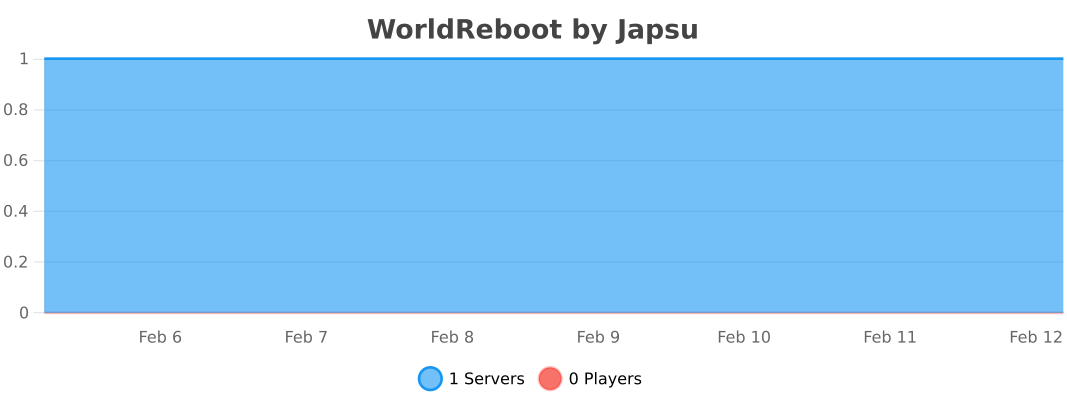
## Usage statistics
[](https://bstats.org/plugin/bukkit/WorldReboot/18036)
WorldPrune
WorldPrune identifies region files that aren’t covered by GriefPrevention claims and safely moves them into a quarantine folder. Nothing is permanently deleted until you explicitly say so — every apply is fully reversible via a built-in undo command.
## Why use it?
Over time, Minecraft worlds accumulate thousands of region files generated by explorers who never claimed anything. WorldPrune lets you reclaim that disk space without risking player builds. A quarantine-first design means you can always roll back.
## How it works
1. `/prune scan` reads your GriefPrevention, Towny, Residence, and WorldGuard claims (whichever are present) and marks unclaimed regions as candidates.
2. **Heuristic filtering** checks candidate regions for player-placed entities (item frames, armor stands, paintings, etc.) and keeps them even if unclaimed.
3. **CoreProtect rescue** (optional) — if CoreProtect is installed, any unclaimed region with recent player block activity is automatically rescued from pruning, catching builds that were never claimed.
4. `/prune apply` moves candidate files to `/quarantine//`. An `apply-manifest.json` records every move.
5. `/prune undo` reads the manifest and puts files back exactly where they were.
6. `/prune drop` permanently deletes a quarantine entry once you’re satisfied.
7. **Web map overlay** (optional) — if BlueMap or Dynmap is installed, keep/prune markers are automatically pushed to the web map after each scan.
All destructive operations (`apply`, `drop`) require a `/prune confirm` within 30 seconds, so there are no accidental deletions.
## Requirements
– Paper or Spigot 1.20.1 or newer
– Java 21 or newer
– At least one claim plugin (all optional — WorldPrune works standalone, but claim awareness prevents false positives):
– **GriefPrevention** — API queried directly; falls back to claim file parsing
– **Towny Advanced** — API queried directly; falls back to townblock `.data` file parsing
– **Residence** — API queried directly; falls back to `Global.yml` parsing
– **WorldGuard** — API queried directly (requires WorldEdit); falls back to per-world `regions.yml` parsing
– CoreProtect — optional; enables activity-based rescue of unclaimed regions with recent player interaction
– BlueMap or Dynmap — optional; region markers pushed to the web map after each scan
## Commands
| Command | What it does |
|———|————-|
| `/prune scan [world|all]` | Analyse one or all worlds and generate a prune plan |
| `/prune apply [world]` | Preview and stage an apply |
| `/prune confirm` | Execute the staged operation |
| `/prune undo [world]` | Restore files from quarantine |
| `/prune drop ` | Permanently delete a quarantine entry (staged) |
| `/prune plans [world]` | List stored plans |
| `/prune map [world]` | Get a filled map showing the keep/prune grid |
| `/prune status` | Show current configuration |
## Permissions
`prune.admin` (default: op) covers read-only commands. Destructive actions require `prune.admin.apply` (apply/undo) or `prune.admin.purge` (drop/quarantine).
## Source
MIT licensed. Source available on [GitHub](https://github.com/dave-i-am/WorldPrune).
WorldProtection
# WorldProtection
A comprehensive world protection plugin for Paper/Spigot servers that allows administrators to protect specific worlds with a whitelist system. Even operators are blocked from accessing protected worlds unless explicitly whitelisted.
## Features
### Core Features
– **World Protection Toggle**: Enable or disable protection on any world
– **Whitelist System**: Only whitelisted players can access protected worlds
– **Operator Blocking**: Blocks operators from accessing protected worlds (unless whitelisted)
– **Case-Insensitive World Lookup**: World names are matched case-insensitively for convenience
– **Player Teleport Command**: `/wp go ` allows players to teleport to worlds (blocks if not whitelisted)
– **Multiple Access Methods Blocked**: Prevents access via:
– World changes
– Teleportation commands
– Portal usage (nether portals, end portals, etc.)
– Direct world joining
– **Data Persistence**: Protected worlds and whitelists are saved automatically
– **Config Reload**: Reload configuration without restarting server
– **Multiverse Support**: Compatible with Multiverse-Core (soft dependency)
### Security Features
– Operators are blocked by default (configurable)
– Operators are always teleported away (kicks may not work on ops)
– Bypass permission available but still respects operator blocking
– Automatic teleportation to safe world when access is denied
– Configurable safe world for teleportation
– Optional kick on access denial (default: enabled)
– Customizable kick message
## Requirements
– Paper 1.21.x or compatible
– Java 21
– Multiverse-Core (optional, for Multiverse world management)
## Installation
1. Download the latest JAR from the releases page
2. Place `WorldProtection-1.0.0.jar` in your server’s `plugins/` folder
3. Start or restart your server
4. Configure `plugins/WorldProtection/config.yml` to your preferences
5. Use `/wp toggle ` to protect worlds
6. Use `/wp whitelist add ` to whitelist players
## Configuration
### config.yml
“`yaml
# World Protection Configuration
# Default message when access is denied
messages:
prefix: “&c[WorldProtection]&f ”
access_denied: “&cYou do not have permission to access this world!”
world_protected: “&eWorld &6%world% &eis protected. Only whitelisted players can access it.”
world_unprotected: “&aWorld &6%world% &ais now unprotected.”
world_protected_enabled: “&aWorld &6%world% &ais now protected.”
player_whitelisted: “&aPlayer &e%player% &ahas been whitelisted for world &6%world%&a.”
player_unwhitelisted: “&cPlayer &e%player% &ahas been removed from whitelist for world &6%world%&c.”
not_whitelisted: “&cYou are not whitelisted for world &6%world%&c.”
world_not_found: “&cWorld &6%world% &cnot found!”
no_worlds_protected: “&7No worlds are currently protected.”
teleport_success: “&aTeleported to world &6%world%&a.”
teleport_denied: “&cYou do not have permission to teleport to world &6%world%&c.”
# Block operators from accessing protected worlds (unless whitelisted)
block_operators: true
# Kick players who try to access protected worlds
kick_on_deny: true
# Safe world to teleport players to when access is denied (if kick_on_deny is false)
# Leave empty to auto-find a safe world
safe_world: “”
# Kick message when player is not whitelisted
kick_message: “&4You are not whitelisted on this world”
“`
### Configuration Options
**messages**
– All messages can be customized with color codes
– Use `%world%` placeholder for world names
– Use `%player%` placeholder for player names
**block_operators**
– `true`: Operators are blocked from protected worlds (unless whitelisted)
– `false`: Operators can access protected worlds (not recommended)
**kick_on_deny**
– `true`: Players are kicked when they try to access a protected world (default)
– `false`: Players are teleported back to a safe world
– Note: Operators are always teleported (kicks may not work on ops)
**safe_world**
– Name of the world to teleport players to when access is denied and `kick_on_deny` is `false`
– Leave empty (`””`) to automatically find a safe world
– Must be a valid world name
**kick_message**
– Custom message shown when a player is kicked for accessing a protected world
– Supports color codes (use `&` prefix)
– Default: `”&4You are not whitelisted on this world”`
## Commands
### Player Commands
**/worldprotection go ** or **/wp go **
– Teleport to a world (available to all players)
– Blocks teleportation if the world is protected and you’re not whitelisted
– Example: `/wp go creative`
– Note: World names are case-insensitive
### Admin Commands
All admin commands require `worldprotection.admin` permission (default: OP).
**/worldprotection toggle ** or **/wp toggle **
– Enable or disable protection on a world
– Example: `/wp toggle creative`
– Note: World names are case-insensitive
**/worldprotection whitelist add ** or **/wp whitelist add **
– Add a player to the whitelist for a protected world
– Example: `/wp whitelist creative add PlayerName`
– Note: World names are case-insensitive
**/worldprotection whitelist remove ** or **/wp whitelist remove **
– Remove a player from the whitelist for a protected world
– Example: `/wp whitelist creative remove PlayerName`
– Note: World names are case-insensitive
**/worldprotection list** or **/wp list**
– List all currently protected worlds
– Shows the number of whitelisted players per world
**/worldprotection info ** or **/wp info **
– Show detailed information about a world’s protection status
– Displays protection status and whitelisted players
– Note: World names are case-insensitive
**/worldprotection reload** or **/wp reload**
– Reload the configuration file and data
– Requires admin permission
– Example: `/wp reload`
## Permissions
**worldprotection.admin**
– Full admin access to all world protection commands
– Default: `op` (operators only)
– Allows: toggle protection, manage whitelist, view info
**worldprotection.bypass**
– Bypass world protection (not recommended)
– Default: `op` (operators only)
– Note: Still blocked if `block_operators: true` in config
## Usage Examples
### Protecting a World
1. Protect a world:
“`
/wp toggle creative
“`
Output: `[WorldProtection] World creative is now protected.`
2. Whitelist players:
“`
/wp whitelist creative add PlayerName
/wp whitelist creative add AnotherPlayer
“`
3. Check protection status:
“`
/wp info creative
“`
### Unprotecting a World
1. Remove protection:
“`
/wp toggle creative
“`
Output: `[WorldProtection] World creative is now unprotected.`
2. Note: Whitelist is preserved but not enforced when world is unprotected
### Managing Whitelist
**Add a player:**
“`
/wp whitelist creative add PlayerName
“`
**Remove a player:**
“`
/wp whitelist creative remove PlayerName
“`
**View all protected worlds:**
“`
/wp list
“`
## How It Works
### Protection Mechanism
When a player attempts to access a protected world, the plugin:
1. **Checks if world is protected**
– If not protected, access is allowed
2. **Checks if player is whitelisted**
– If whitelisted, access is allowed
3. **Checks bypass permission**
– If player has `worldprotection.bypass`, access is allowed
– Exception: If `block_operators: true` and player is OP, still blocked
4. **Blocks access if all checks fail**
– If `kick_on_deny: true`: Kicks player with configured kick message
– If `kick_on_deny: false`: Teleports player to safe world (configured or auto-found)
– Operators are always teleported away (kicks may not work on ops)
– Sends access denied message
– Multiple event handlers ensure blocking works regardless of access method
### Access Methods Blocked
The plugin blocks access through:
– **World Changes**: When a player changes worlds (via any method)
– **Player Join**: When a player joins the server in a protected world
– **Teleportation**: All teleportation commands and events (including `/wp go`)
– **Portals**: Nether portals, end portals, and other portal types
### Operator Blocking
Operators are handled specially:
– They are always blocked from protected worlds (when `block_operators: true`)
– They are always teleported away (kicks may not work on operators)
– Multiple event handlers ensure operators cannot stay in protected worlds
– Even if a kick fails, operators are immediately teleported to a safe world
### Data Storage
Protected worlds and whitelists are stored in:
“`
plugins/WorldProtection/data.yml
“`
This file is automatically created and updated when:
– Worlds are protected/unprotected
– Players are added/removed from whitelists
## File Structure
“`
plugins/WorldProtection/
├── config.yml # Configuration file
└── data.yml # Protected worlds and whitelists (auto-generated)
“`
## Troubleshooting
**Operators can still access protected worlds:**
– Check `block_operators` in config.yml (should be `true`)
– Ensure operators are not whitelisted
– Verify they don’t have `worldprotection.bypass` permission
– Operators should be teleported away immediately – if not, check server logs
– Try using `/wp go ` as an operator – you should be blocked and teleported away
**Players can still access protected worlds:**
– Check if world is actually protected: `/wp list`
– Verify player is not whitelisted: `/wp info `
– Check if player has bypass permission
**Whitelist not working:**
– Ensure world is protected: `/wp toggle `
– Verify player was added correctly: `/wp info `
– Check data.yml file for correct UUIDs
**Players getting stuck:**
– If a player is in a protected world when protection is enabled, they will be teleported out immediately
– Use `/wp whitelist add ` to allow them access
– Or temporarily unprotect the world: `/wp toggle `
– Players can use `/wp go ` to attempt teleportation (will be blocked if not whitelisted)
**Multiverse worlds not working:**
– Ensure Multiverse-Core is installed (optional but recommended)
– World names are matched case-insensitively, so you can use any case
– Use `/mv list` to see world names, but you can use any case variation
## Security Considerations
### Operator Blocking
By default, operators are blocked from accessing protected worlds. This is intentional and provides additional security:
– Prevents accidental access by admins
– Ensures only explicitly whitelisted players can access
– Maintains strict access control
– Operators are always teleported away (kicks may not work on operators)
– Multiple event handlers ensure operators cannot bypass protection
To allow operators access, you must:
1. Whitelist them: `/wp whitelist add `
2. Or set `block_operators: false` in config.yml (not recommended)
**Important**: Even if `kick_on_deny` is enabled, operators are teleported instead of kicked, as server protections may prevent kicking operators.
### Bypass Permission
The `worldprotection.bypass` permission exists for special cases but:
– Still respects `block_operators` setting
– Should be used sparingly
– Consider whitelisting instead for better tracking
## API
### Public Methods
“`java
// Check if a world is protected
boolean isWorldProtected(String worldName)
// Check if a player is whitelisted for a world
boolean isPlayerWhitelisted(UUID playerUUID, String worldName)
// Check if a player can access a world
boolean canAccessWorld(Player player, String worldName)
“`
### Events
The plugin listens to and handles:
– `PlayerJoinEvent` – Blocks players joining in protected worlds
– `PlayerChangedWorldEvent` – Blocks world changes
– `PlayerTeleportEvent` – Blocks teleportation
– `PlayerPortalEvent` – Blocks portal usage
## Version
Current Version: 1.0.0
## Support
For issues, feature requests, or questions, please open an issue on the project repository.
## License
This plugin is provided as-is for use on Minecraft servers.
## Credits
Developed for Paper 1.21.x servers with optional Multiverse-Core integration.