MojangFix StationAPI Edition
# MojangFixStationAPI
A more compatible version of [MojangFix](https://modrinth.com/mod/mojangfix) for Minecraft b1.7.3 with [GlassConfigAPI](https://modrinth.com/mod/glass-config-api) configs to increase the mod’s compatibility. Fixes skins, authentication, and more.
* For more InventoryTweaks (ex: `left-click + drag`) consider : https://modrinth.com/mod/inventorytweaks
* For better auth/skin fixes use RetroAuth: https://modrinth.com/mod/retroauth
## Features
Skin and cape fix (including 1.8+ outer layers)

– Added ability to raise slim skin shoulders with GlassConfigAPI
– Added ability to toggle rendering the player cape with GlassConfigAPI
Authentication fix

Allows the server to verify that the connecting player is logged in
Multiplayer server list

(server status not implemented yet)
Scrollable keybinds gui

Better text edition

Basic inventory tweaks
Previously unlisted changes
– (New) Disable stats checksum verification
– Allows mods to rearrange stats (for instance when converting a vanilla instance to a StationAPI one)
– Enable Bit Depth Fix
– Enable Command Keybinding
– Used to more quickly open up the chat window and type in a command
– Enable Death Screen Score Fix
– Enable Debug Graph Hidden By Default
– Use the new keybind (default: LCtrl) + F3 to open up debug screen with graph
– Optionally using GCAPI config switch keybind to toggle debug graph whenever pressed
– Enable Displaying World Seed In Debug Menu
– Enable MojangFix Version Text On Title Screen
– Enable Quit Button
– Change Resources Download URL
– This edition of MojangFix lets you change it yourself as well in the config settings
## Installation using Prism Launcher
1. Download an instance of Babric for Prism Launcher: https://github.com/Glass-Series/babric-prism-instance
2. Install Java 17 and set the instance to use it: https://adoptium.net/temurin/releases/
3. Add GlassConfigAPI 3.0.2+ to the mod folder for the instance: https://modrinth.com/mod/glass-config-api
4. Add Glass Networking to the mod folder for the instance: https://modrinth.com/mod/glass-networking
5. (Optional) Add StationAPI to the mod folder for the instance: https://modrinth.com/mod/stationapi
6. (Optional) Add Mod Menu to the mod folder for the instance: https://modrinth.com/mod/modmenu-beta
7. Add this mod to the mod folder for the instance: https://github.com/telvarost/BetaTweaks-StationAPI/releases
8. Run and enjoy! 👍
## FAQ
* Q. Why is minecraft so small and part of my screen white?
* A. You probably have screen scaling on or are using a high DPI screen. There are 5 possible ways to fix this:
* The best option is to install Gambac: [https://modrinth.com/mod/gambac](https://modrinth.com/mod/gambac)
* You could also pass the following string in as a java argument in the settings tab
* `-Dsun.java2d.uiScale=1.0`
* You could also install ClientsideEssentials mod or UniTweaks and use their screen scaling fix from GCAPI config options (fix may produce small artifacts with this option)
* You could also change the DPI settings for Prism Launcher to system
* Or, you could change your screen scaling to 100%
ModMenu Beta
# This is now deprecated.
Use [Modmenu Babric](https://modrinth.com/mod/modmenu-babric) instead.
—
An unofficial port of [ModMenu](https://modrinth.com/mod/modmenu) to b1.7.3.
Does nothing aside from add a button on the main and escape menu which lists mods, unless something like [Glass Config API](https://modrinth.com/mod/glass-config-api) is installed, in which case you can edit the settings of any mods that support it.
Mod Remapping API
# Mod Remapping API
Remaps non-Fabric mods made for a different environment (by default obfuscated) to the current runtime mappings.
Provides hooks to expand the remapping process from other mods.
This mod doesn’t depend on a specific Minecraft version and should work on any version that Fabric Loader can launch.
### Mods depending on this API:
– [Fabricated Legacy Forge](https://modrinth.com/mod/fabricated-forge)
– [Apron](https://modrinth.com/mod/Apron)
– [Fabricated-Rift](https://modrinth.com/mod/fabricated-rift)
## Credits
### Most of the original code of the mod remapper
– paulevsGitch’s mod BetaLoader
Maps And Frames
# What does it add?
– Item frames. You can display Items, Blocks and Maps in these (like in newer Minecraft versions).
– Empty Maps of different scales. You can right click these and get a Map with a certain scale.
– Cartography Table. You can use this table to copy maps. These maps are linked, updating one updates all copied maps.
## This mod is still in developments, there are a few bugs like:
– Server problems (especially in the newest version)
– No correct rendering for stairs
– No correct rendering for trapdoors
– Item frames can exist in lava
– Multiple item frames can be placed on the same block (but only one can stay attached, the other drop as items)
– No correct block rendering for some mods (like Tropicraft however, the mod can render blocks from other mods like Aether)
LuckyCookie
With a change of 1 to 1000 you will a get a cookie if you mine a stone block. It’s not much but it is honest mod. If you want to, i can look into making a glassConfig version where you can change the chance of getting a cookie or customize the message.
Hi, I am Bat, this is my fifth mod. It is quite small and simple, I still hope you like it. ^^
Let Your Friend Eating!
# Let Your Friend Eating!
### Description
**Let Your Friend Eating!** adds a simple but fun mechanic to Minecraft:
You can feed other players directly by right-clicking them while holding food.
The target instantly consumes the item and receives all associated hunger, saturation, effects, and sounds.

———-

### Features
– **Player Feeding**
Right-click another player with food to feed them immediately.
– **Food Effects Transfer**
Any status effects from the food (such as golden apples or suspicious stews) are applied to the target.
– **Audio Feedback**
Eating and burping sounds play during the interaction.
– **Hunger & Saturation Gain**
The target receives proper hunger and saturation values from the item.
– **Particle Effects**
Optional positive particle effects appear when feeding.
– **Cooldown System**
Prevents rapid feeding; fully configurable.
– **Feeding Statistics**
Track how many times you’ve fed others using `/feedfriend stats`.
– **Toggle Controls**
Players can enable or disable being fed using `/feedfriend toggle`.
– **Configuration Support**
Clean and organized configuration UI via Cloth Config (where supported).
———-
### Config (1.0.4 LTS)
– **Fabric**
Configurable through Mod Menu, commands, and `config/letyourfriendeating.toml`
– **Forge**
– Version 1.0.4: `saves//serverconfig/letyourfriendeating-server.toml`
– Version 1.0.4-1: `config/letyourfriendeating-settings.json`
———-
### Version Feature Matrix
| Version | Feed | Food Effects | Sound | Particle | Command | Config |
| :-: | :-: | :-: | :-: | :-: | :-: | :-: |
| **1.0.0** | Yes | No | No | No | No | No |
| **1.0.1** | Yes | Yes | Yes | Yes | No | No |
| **1.0.2** | Yes | Yes | Yes | Yes | No | No |
| **1.0.3** | Yes | Yes | Yes | Yes | Yes | No |
| **1.0.4 (LTS)** | Yes | Yes | Yes | Yes | Yes | Yes |
| **1.1.0+ (Refactor)** | Yes | Yes | Yes | Yes | Yes | Yes |
| **Beta** | Yes | No | Partial | Partial | Partial | No |
| **Alpha** | Partial | No | Partial | No | Partial | No |
———-
### How to Use
1. Hold any food item.
2. Right-click another player.
3. They instantly consume the food and gain all effects.
———-
### Compatibility
– Works in both **Singleplayer** and **Multiplayer**
– Compatible with **Fabric**, **Quilt**, **Forge**, and **NeoForge**
– Supported Minecraft versions:
`1.10.2`, `1.11.2`, `1.12.2`, `1.13.x`, `1.14.x`, `1.15.x`, `1.16.x`, `1.17x`, `1.18.x`, `1.19.x`, `1.20.x`, `1.21.x`
– Ongoing cross-mod compatibility improvements (1.0.4-hotfix)
– If you want to run mods on **Quilt**, you can use the **Fabric** version, but compatibility and functionality are not guaranteed.
———-
### Links
– [GitHub Source](https://github.com/TamKungZ/letyourfriendeating)
– [CurseForge Project](https://www.curseforge.com/minecraft/mc-mods/let-your-friend-eating)
———-
### License Notice
Starting **May 10, 2025**, this project uses the **Creative Commons Attribution-NonCommercial-NoDerivatives 4.0 (CC BY-NC-ND 4.0)** license.
Under this license:
– Attribution is required
– Commercial use is not allowed
– Modifications and derivatives are not permitted
Versions released **before May 10, 2025** remain under the MIT License.
Details: [https://creativecommons.org/licenses/by-nc-nd/4.0/](https://creativecommons.org/licenses/by-nc-nd/4.0/)
———-
By
TamKungZ_
LegacyVoiceChat
# LegacyVoiceChat
**LegacyVoiceChat** adds proximity voice chat to legacy — including **Ornithe**, **StationAPI**, **Better than Adventure!**, **Project Poseidon**, **Risugami Modloader** and **More!**.
## ⚠️ WARNING
> **LegacyVoiceChat is currently a WIP mod.**
> Expect bugs, UI changes, and protocol changes at any time.
## Features
### Proximity Voice Chat
– 3D positional audio
– Directional sound based on player orientation
– Dynamic volume fading with distance
### Audio Device Management
– Choose custom **input** and **output** devices
– **Push-to-Talk** or **Voice Activation** modes
– Adjustable mic sensitivity
### Groups / Parties
– Create or join voice groups
– Talk privately with teammates (ignores distance)
### Mute & Deafen
– Mute specific players or yourself
– Deafen to silence all incoming voice
Looking for the raw jar file for MultiMc or Prism Launcher? [Click Here](https://legacyvoicechat.com/)
### Server Notes
Make sure to port forward “`25566 UDP“` or change the port in the server config
Iron Chest (StAPI)
# Iron Chests (StationAPI)
Basic port of Iron Chests for b1.7.3 with Fabric, [StationAPI](https://modrinth.com/mod/stationapi) and [Terminal](https://modrinth.com/mod/terminal-stapi)
## Features
* Iron, Gold and Diamond Chest
* Chest upgrades (Wood to Iron, Iron to Gold, Gold to Diamond, Obsidian)
## Credits
* Based on [IronChest by cpw](https://github.com/cpw/ironchest), released under GPLv3.
* Special thanks to [ralf2oo2](https://modrinth.com/user/ralf2oo2), from whose [Nether Storage](https://modrinth.com/mod/netherstorage) I unashamedly stole code
InventoryTweaks StationAPI
# InventoryTweaks StationAPI Edition for Minecraft Beta 1.7.3
A [StationAPI](https://modrinth.com/mod/stationapi) mod for Minecraft Beta 1.7.3 that adds some inventory tweaks and ports some of the tweaks from the MouseTweaks mod.
# Inventory Tweaks
This mod is incompatible with the regular version of MojangFix. If you would like to use that mod you will need the compatibility version of the mod for InventoryTweaks found here: [https://modrinth.com/mod/mojangfix-stationapi-edition](https://modrinth.com/mod/mojangfix-stationapi-edition)
**This version of the mod now supports multiplayer!**
* Features on multiplayer are slightly simplified to accommodate what vanilla servers are capable of.
## List of Changes:
* Note that all changes can be enabled/disabled in the config menu if you have [ModMenu](https://modrinth.com/mod/modmenu-beta) and [GlassConfigAPI](https://modrinth.com/mod/glass-config-api) installed. (Optional) Install [SmoothBeta](https://modrinth.com/mod/smoothbeta/versions) to improve performance.
### Crafting Result Changes
* Adds `Ctrl-Click` crafting mechanic for quickly crafting a single stack of items into your inventory
* Adds `Right-Click` crafting mechanic for quickly crafting a single stack of items into your cursor
* Adds `Shift-Click` crafting mechanic for quickly crafting all resources in crafting grid into inventory
* Adds ability to stop `Shift-Click` crafting when crafting result changes (default: true)
### Modern Minecraft Changes
* Adds modern double `Left-Click` to fill empty cursor with picked up item (searches open inventory screen for the item to fill the cursor).
* Adds `Shift + Click` to move armor onto player armor slots when in player inventory.
* Adds `Shift + Click` to move items into and out of dispensers when in dispenser inventories.
* Mod must be installed on both the server and the client and the config must be enabled on the server for this setting to work in multiplayer.
* Adds `Shift + Click` to move smeltable/fuel items into furnaces when furnace screen is open (same behavior as modern, logs will go into smelt slot rather than fuel slot).
* Adds `Left-Click + Drag` mechanic to evenly distribute held items over empty slots/slots with the same item as in modern Minecraft.
* Adds `Right-Click + Drag` mechanic to distribute one item from held items over empty slots/slots with the same item as in modern Minecraft.
* `LCtrl + DROP_KEY` to drop a whole stack of items.
* Move items from player inventory to the hotbar by pressing the number key corresponding to the desired hotbar slot while hovering the cursor over the item to move.
### [MouseTweaks](https://modrinth.com/mod/mouse-tweaks) Changes
* MouseTweaks `Right-Click + Drag`
* Very similar to the standard RMB dragging mechanic, with one difference: if you drag over a slot multiple times, an item will be put there multiple times. Replaces the standard mechanic if enabled.
* MouseTweaks `Left-Click + Drag` (with item)
* Lets you quickly pick up or move items of the same type.
* Move items to another inventory if holding `Shift`
* MouseTweaks `Left-Click + Drag + Shift` (without item)
* Quickly move items into another inventory.
* Original take on the scroll wheel
* Scroll to move items between the cursor and the hovered slot
* Note: MouseTweaks scroll will eventually be added as well if I can figure it out
## Installation using Prism Launcher
1. Download an instance of Babric for Prism Launcher: https://github.com/Glass-Series/babric-prism-instance
2. Install Java 17 and set the instance to use it: https://adoptium.net/temurin/releases/
3. Add GlassConfigAPI 3.0.2+ to the mod folder for the instance: https://modrinth.com/mod/glass-config-api
4. Add Glass Networking to the mod folder for the instance: https://modrinth.com/mod/glass-networking
5. (Optional) Add StationAPI to the mod folder for the instance: https://modrinth.com/mod/stationapi
6. (Optional) Add Mod Menu to the mod folder for the instance: https://modrinth.com/mod/modmenu-beta
7. Add this mod to the mod folder for the instance: https://github.com/telvarost/BetaTweaks-StationAPI/releases
8. Run and enjoy! 👍
## FAQ
* Q. Why is minecraft so small and part of my screen white?
* A. You probably have screen scaling on or are using a high DPI screen. There are 5 possible ways to fix this:
* The best option is to install Gambac: [https://modrinth.com/mod/gambac](https://modrinth.com/mod/gambac)
* You could also pass the following string in as a java argument in the settings tab
* `-Dsun.java2d.uiScale=1.0`
* You could also install ClientsideEssentials mod or UniTweaks and use their screen scaling fix from GCAPI config options (fix may produce small artifacts with this option)
* You could also change the DPI settings for Prism Launcher to system
* Or, you could change your screen scaling to 100%
## Feedback
Got any suggestions on what should be added next? Feel free to share it by [creating an issue](https://github.com/telvarost/InventoryTweaks-StationAPI/issues/new). Know how to code and want to do it yourself? Then look below on how to get started.
## Contributing
Thanks for considering contributing! To get started fork this repository, make your changes, and create a PR.
If you are new to StationAPI consider watching the following videos on Babric/StationAPI Minecraft modding: https://www.youtube.com/watch?v=9-sVGjnGJ5s&list=PLa2JWzyvH63wGcj5-i0P12VkJG7PDyo9T
Imposter Blocks
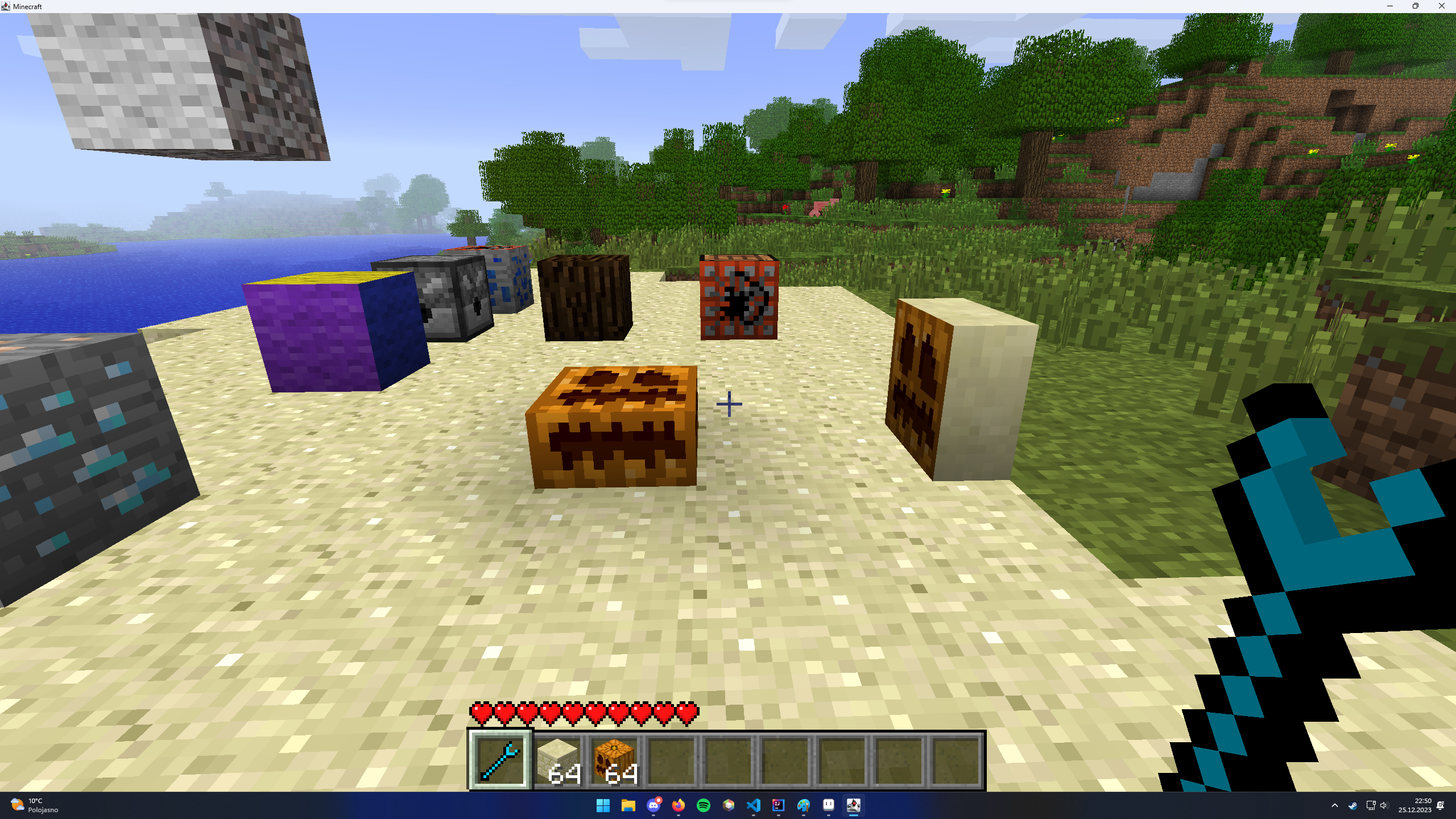
Adds a block which can camouflage itself as other blocks, texture can be different per side and you can change which face of the texture to show on each side